• Send Us A Tip
  • Calling all Tech Writers
  • Advertise
Tuesday, June 23, 2026
  • Login
TechStory
  • News
  • Crypto
  • Gadgets
  • Memes
  • Gaming
  • Cars
  • AI
  • Startups
  • Markets
  • How to
No Result
View All Result
  • News
  • Crypto
  • Gadgets
  • Memes
  • Gaming
  • Cars
  • AI
  • Startups
  • Markets
  • How to
No Result
View All Result
TechStory
No Result
View All Result
Home How to

How to backup, reset an Android phone before you sell it

by Khushi Sethi
March 20, 2022 - Updated On March 21, 2022
in How to, Tech
Reading Time: 3 mins read
0
How to backup, reset an Android phone before you sell it
TwitterWhatsappLinkedin

There are a few steps involved whether you’re giving your old Android smartphone to a friend, selling it on OLX, or exchanging it for a newer phone. This is so you can back up all of your data on the phone, wipe it clean, and then give it away.

You might also like

How to connect AirPods to Nintendo Switch?

How to earn a Hyatt Globalist Status?

How to protect your SIM from swap attacks?

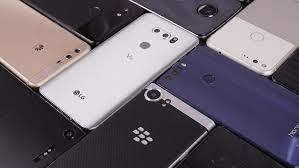
5 Steps To Take Before Selling Your Old Android Phone! | Cashify Blog
Source: Cashify

Let’s go over the steps:

Backing up your apps

There are numerous methods for backing up your data, as well as tools that automate a large portion of the process. However, we’ll show you how to do it quickly and easily between any two Android phones, regardless of brand.

Begin by syncing all of your Google accounts. Navigate to Settings/ Accounts/ your Gmail email ID/ Account Sync to accomplish this. Here, select sync now’ from the three-dot menu at the top. This ensures that data from Google apps such as Keep, Calendar, Contacts, and others are synchronised.

After that, you’ll want to back up data for each app that supports it. All of your chats and other data are stored in the cloud for apps like Facebook and Instagram, so you’re good to go. You’ll have to take manual backups of end-to-end encrypted platforms like WhatsApp, which will be stored on the cloud.

You can do this in WhatsApp by going to Settings/ Chats/ Chat Backup, for example. Make sure that the ‘Backup to Google Drive’ dropdown is not set to ‘Never.’ You can also just hit the main Backup button and select the second option, ‘Only when I tap Back Up.’ This will begin backing up all of your WhatsApp photos, chats, and groups to Gdrive, where you can later import them.

Check to see if there is a setting for backing up files offline or online in games and other apps. Otherwise, you’ll have to reinstall these apps on your next phone.

After you’ve completed all of this, it’s time to back up your files.


Creating a file backup

Connecting your Android phone to a PC, selecting File Transfer USB mode, and copy all contents from the Internal Storage folder to a new folder on your PC is the simplest way to do this. Folders such as DCIM, Documents, Downloads, Movies, Music, Pictures, and so on will be included.

These can then be transferred to your new phone and merged with existing folders when you set it up.


Restarting your phone

To reset your phone, go to Settings and type “reset” into the search bar at the top. Select the option that says “reset” or “factory reset” as a result. This should bring you directly to the page where you can reset your phone.


If you see options or a dropdown that asks if you want to keep files or reset everything, choose to reset/ delete everything. Remember that after this step, your phone will be handed over to someone else, and any data left on it could be misused if it falls into the wrong hands. As a result, make sure you select the option to delete everything.

After the reset, your phone will restart and take you to the setup screen, where you’ll most likely be asked to select a language. Rather than continuing with the setup, turn off your phone and remove your SIM card(s) and MicroSD card (if applicable). It’s now safe to use your old Android phone.

 

Tags: androidBACKUPGoogleSellingtechnology
Tweet55SendShare15
Previous Post

Japan’s Suzuki to build an EV production line in India

Next Post

Miami Mayor Francis Suarez wants to turn Miami into “Bitcoin City”

Khushi Sethi

Recommended For You

How to connect AirPods to Nintendo Switch?

by Afeefa Ansari
June 23, 2026
0
nintendo-switch

Do you wish to connect your AirPods to your Nintendo Switch? Here is how you can do it! Follow the guide to know how you can connect them...

Read more

How to earn a Hyatt Globalist Status?

by Afeefa Ansari
June 23, 2026
0
World-of-Hyatt-Credit-Card

Do you want to get some perks of being a Hyatt Globalist member? Here is how you can assure those rewards and benefits and become a member. So,...

Read more

How to protect your SIM from swap attacks?

by Afeefa Ansari
June 23, 2026
0
SIM

Do you want to protect your SIM from swap attacks? It has become a more frequent phenomenon than ever, and here is what can happen if you are...

Read more
Next Post
Miami Mayor Francis Suarez wants to turn Miami into “Bitcoin City”

Miami Mayor Francis Suarez wants to turn Miami into “Bitcoin City”

Please login to join discussion

Techstory

Tech and Business News from around the world. Follow along for latest in the world of Tech, AI, Crypto, EVs, Business Personalities and more.
reach us at info@techstory.in

Advertise With Us

Reach out at - info@techstory.in

Aviator Game India 2026

BROWSE BY TAG

#Crypto #howto 2024 acquisition AI amazon Apple Artificial Intelligence bitcoin Business China cryptocurrency e-commerce electric vehicles Elon Musk Ethereum facebook funding Gaming Google India Instagram Investment ios iPhone IPO Market Markets Meta Microsoft News OpenAI samsung Social Media SpaceX startup startups tech technology Tesla TikTok trend trending twitter US

© 2025 Techstory.in

No Result
View All Result
  • News
  • Crypto
  • Gadgets
  • Memes
  • Gaming
  • Cars
  • AI
  • Startups
  • Markets
  • How to

© 2025 Techstory.in

Welcome Back!

Login to your account below

Forgotten Password?

Retrieve your password

Please enter your username or email address to reset your password.

Log In
Are you sure want to unlock this post?
Unlock left : 0
Are you sure want to cancel subscription?