• Send Us A Tip
  • Calling all Tech Writers
  • Advertise
Sunday, July 26, 2026
  • Login
TechStory
  • News
  • Crypto
  • Gadgets
  • Memes
  • Gaming
  • Cars
  • AI
  • Startups
  • Markets
  • How to
No Result
View All Result
  • News
  • Crypto
  • Gadgets
  • Memes
  • Gaming
  • Cars
  • AI
  • Startups
  • Markets
  • How to
No Result
View All Result
TechStory
No Result
View All Result
Home How to

How to delete words from keyboard iPhone?

by Chhavideep Singh
August 11, 2022
in How to
Reading Time: 2 mins read
0
iPhone

Credits: Payette Forward

TwitterWhatsappLinkedin
iPhone
Credits:
Payette Forward

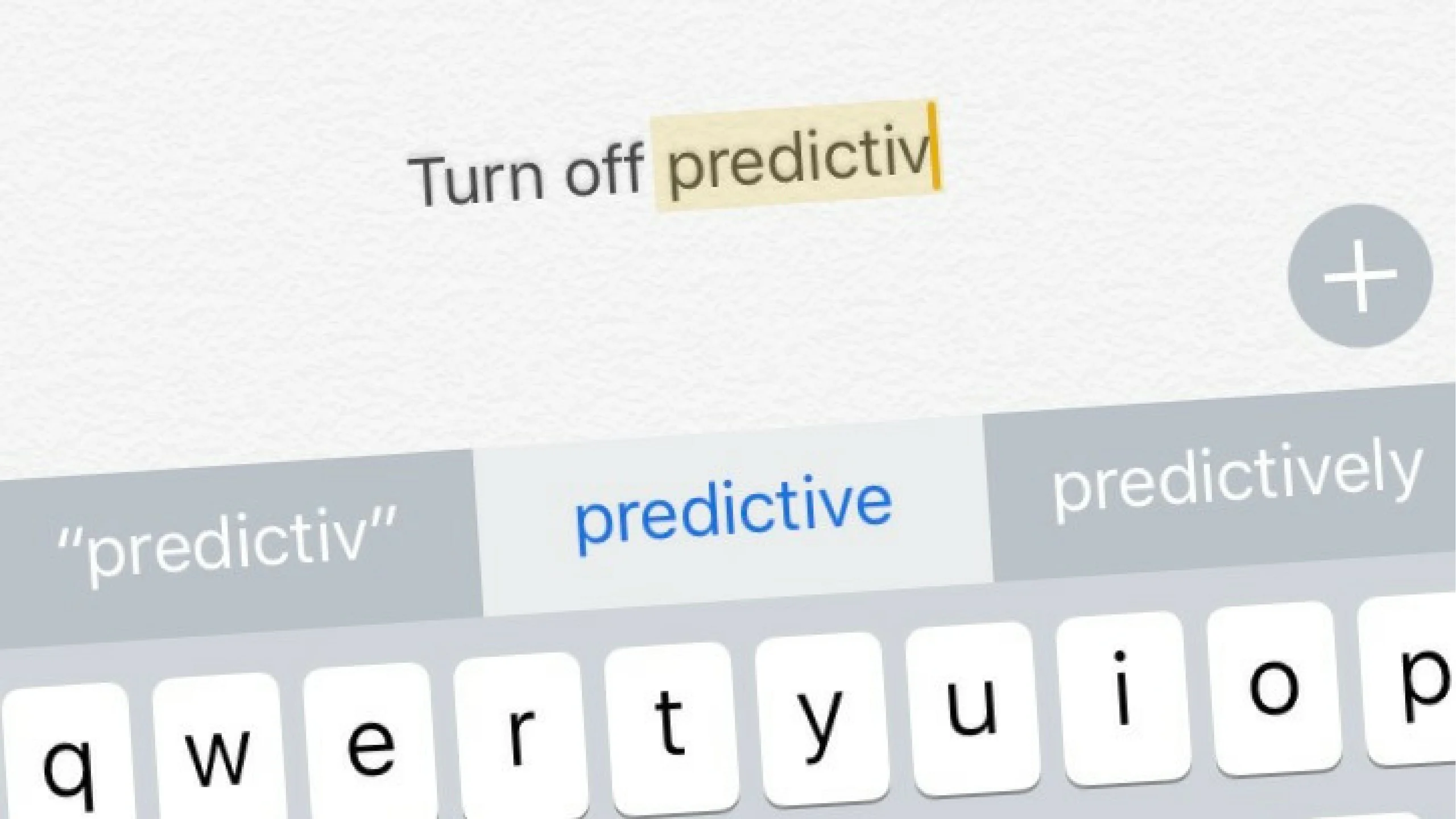
You can literally make your iPhone forget the words that you do not use. The words you remove will not appear in the predictive texts.

You might also like

How to Beat Legendary Ships in Assassin’s Creed IV: Black Flag

How to Get Ancient Civilization Core in Palworld

How to Get Cube Sprites in Fortnite

Predictive text is one of the best features to have on an iPhone because it predicts words that you are typing without you completely typing it. For instance, if you type “Commendable” too much during your conversations, your predictive texts will suggest you the word when you type the first two letters of the word.

This is how predictive texts work and it is an amazing feature to have. However, it is only helpful when it predicts the right words but when it works incorrectly, that becomes annoying and irritating while typing on the keyboard. There are so many people finding a fix for this issue because its something beyond our control.

Let me help you with predictive texts.

How to delete words from keyboard iPhone?

You might think that if there is one word that you specifically get wrong on predictive texts and you want a way to remove that word altogether. That is not possible. The only way to delete words from keyboard of an iPhone is by resetting the dictionary and start from scratch.

Yes, you cannot edit individual words in the predictive text dictionary, you will have to reset it again and you are good to go.

Here is how you reset your iPhone keyboard predictive texts dictionary.

  1. Unlock iPhone.
  2. Go to Settings
  3. Tap on General
  4. Click on Transfer or Reset phone.
  5. Click on Reset
  6. Tap on Reset Keyboard dictionary
  7. Enter your PIN
  8. Tap on Reset Dictionary
  9. Open your notes app and open keyboard to check.
  10. You are good to go!

This is one way of sorting your incorrect predictive texts. Another way is to replace a word that is bugging you.

If you wish to remove a word from predictive texts, you can simply go and replace that incorrect word with the correct one. So, every time you type that word, iPhone will automatically replace it with a correct word.

Here is how you can force predictive texts to use the correct word:

  1. Open Settings
  2. Go to General.
  3. Click on Keyboard
  4. Tap on Text Replacement
  5. Tap on plus icon.
  6. Enter the spelling in the phrase column.
  7. Enter the shortcut that you wish to have for the phrase.
  8. Predictive texts will always show this suggestion over the previous one.

Hope this was helpful.

Tags: iPhoneKeyboardpredictive texts
Tweet55SendShare15
Previous Post

How to teleport in Minecraft?

Next Post

How to remove repeated data from your Google Sheet?

Chhavideep Singh

Hi! I'm Chhavideep, If you like reading about technology, business and start-ups, you've come to the right place. Catch me: chhavideep@connasys.com

Recommended For You

How to Beat Legendary Ships in Assassin’s Creed IV: Black Flag

by Khilav Jadav
July 25, 2026
0
How to Get Keys in Assassin’s Creed Shadows

The Legendary Ships are among the hardest naval challenges in Assassin’s Creed IV: Black Flag. There are four encounters, but one battle features two ships at once, giving...

Read more

How to Get Ancient Civilization Core in Palworld

by Khilav Jadav
July 25, 2026
0
How to Increase Inventory in Palworld

The Ancient Civilization Core is one of the most valuable late-game materials in Palworld. It is a Legendary crafting resource used for powerful equipment, advanced technology, and several...

Read more

How to Get Cube Sprites in Fortnite

by Khilav Jadav
July 25, 2026
0
How To Archive Items in Fortnite

Cube Sprites are a new collectible type added to Fortnite Chapter 7 Season 3. They are connected to the season’s cube-themed content and are based on the mysterious...

Read more
Next Post
Google Sheet

How to remove repeated data from your Google Sheet?

Please login to join discussion

Techstory

Tech and Business News from around the world. Follow along for latest in the world of Tech, AI, Crypto, EVs, Business Personalities and more.
reach us at info@techstory.in

Advertise With Us

Reach out at - info@techstory.in

Aviator Game India 2026

BROWSE BY TAG

#Crypto #howto 2024 acquisition AI amazon Apple Artificial Intelligence bitcoin Business China cryptocurrency e-commerce electric vehicles Elon Musk Ethereum facebook funding Gaming Google India Instagram Investment ios iPhone IPO Market Markets Meta Microsoft News OpenAI samsung Social Media SpaceX startup startups tech technology Tesla TikTok trend trending twitter US

© 2025 Techstory.in

No Result
View All Result
  • News
  • Crypto
  • Gadgets
  • Memes
  • Gaming
  • Cars
  • AI
  • Startups
  • Markets
  • How to

© 2025 Techstory.in

Welcome Back!

Login to your account below

Forgotten Password?

Retrieve your password

Please enter your username or email address to reset your password.

Log In
Are you sure want to unlock this post?
Unlock left : 0
Are you sure want to cancel subscription?