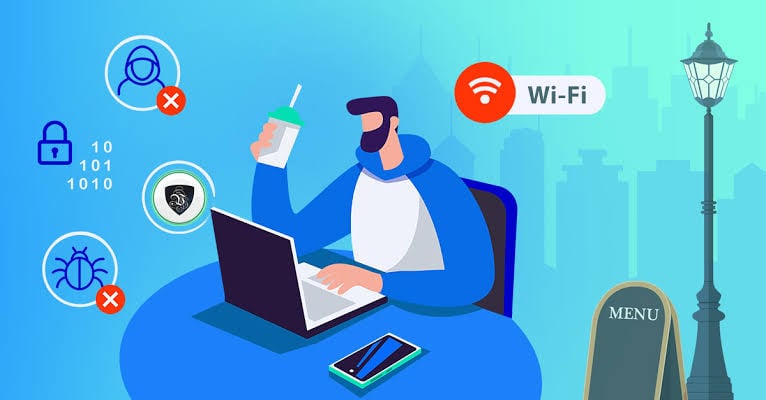
Picture this: you’re waiting for your flight at an airport, sipping coffee at your favorite café, or relaxing in a hotel lobby. You notice a sign that reads “Free Wi-Fi Available.” Within seconds, you’re connected, checking emails, logging into your bank account, uploading work files, or shopping online.
It feels incredibly convenient—but it could also be one of the riskiest things you do online.
Public Wi-Fi networks have become an essential part of modern life. They keep us connected wherever we go, making remote work, online banking, video calls, and entertainment possible without using mobile data. However, these same networks are often prime hunting grounds for cybercriminals looking to steal sensitive information.
The good news? You don’t have to avoid public Wi-Fi altogether. By understanding the risks and following a few simple security practices, you can browse safely without becoming an easy target.
Let’s explore why public Wi-Fi can be dangerous and how you can protect yourself.

Credits: Kaspersky
Why Public Wi-Fi Is a Favorite Target for Hackers
Public Wi-Fi networks are designed for convenience. Unlike your home network, most public hotspots don’t require complex authentication or security settings. This ease of access benefits legitimate users—but it also benefits hackers.
Cybercriminals often seek the easiest victims rather than attempting sophisticated attacks. An unsecured public network provides exactly that opportunity.
When multiple strangers connect to the same network, attackers can exploit weak security configurations, poorly protected devices, and careless browsing habits to intercept valuable information.
How Hackers Attack Public Wi-Fi Users
Man-in-the-Middle (MITM) Attacks
One of the most common public Wi-Fi threats is the Man-in-the-Middle (MITM) attack.
Instead of your device communicating directly with the Wi-Fi hotspot, a hacker secretly places themselves between you and the network.
Think of it like sending a confidential letter that first passes through someone else’s mailbox before reaching its destination. That person can read, copy, or even alter the contents without either party noticing.
If the information isn’t encrypted, attackers may gain access to:
- Email conversations
- Login credentials
- Credit card numbers
- Personal messages
- Business documents
- Banking information
In many cases, victims never realize their data has been intercepted.
Fake Wi-Fi Hotspots
Hackers can also create fake wireless networks that appear legitimate.
Imagine seeing two Wi-Fi networks:
- Airport_Free_WiFi
- Airport Free WiFi
At first glance, they seem identical. One belongs to the airport, while the other belongs to a cybercriminal.
Once connected, every piece of information you send passes directly through the attacker’s system.
These fake hotspots, often called “evil twin” networks, are especially common in airports, shopping malls, cafés, hotels, and conferences.
Malware Distribution
Public Wi-Fi isn’t just about stealing passwords.
Attackers may use unsecured networks to spread malware.
For example, you might receive a popup claiming:
- Your browser needs an update
- Your video player is outdated
- A security update is required
Clicking the download can install malicious software that silently steals your passwords, tracks your activity, or encrypts your files for ransom.
Some sophisticated attackers even compromise legitimate routers to inject malicious advertisements or fake software updates into users’ browsing sessions.

Credits: aNetworks
Snooping on Shared Networks
Many people unknowingly leave file sharing enabled on their laptops.
On an unsecured public network, this can expose:
- Documents
- Photos
- Shared folders
- Printers
- Network drives
A skilled attacker can scan nearby devices looking for exposed resources and gain unauthorized access with surprisingly little effort.
Why Public Wi-Fi Risks Are Growing
Remote work has changed how we use the internet.
Today, professionals regularly access:
- Corporate VPNs
- Cloud storage
- Financial applications
- Customer databases
- Collaboration tools
- Video conferencing platforms
This makes public Wi-Fi users especially attractive targets.
Instead of stealing one social media account, hackers may obtain credentials that unlock an entire corporate network.
As more businesses adopt hybrid work models, cybercriminals continue developing new techniques to exploit employees working from cafés, hotels, airports, and coworking spaces.
Signs That a Public Wi-Fi Network May Be Unsafe
While not every public hotspot is dangerous, certain warning signs should raise suspicion.
Be cautious if:
- The network has a generic or unusual name.
- Multiple networks have nearly identical names.
- You’re automatically redirected to unexpected websites.
- Popups ask you to install software before connecting.
- The connection behaves unusually slowly.
- Websites suddenly display certificate warnings.
If something feels suspicious, it’s usually safer to disconnect.
Credits: Medium
How to Stay Safe on Public Wi-Fi
Fortunately, protecting yourself doesn’t require advanced technical knowledge.
Here are the most effective ways to stay secure.
Use a VPN
A Virtual Private Network (VPN) is one of the best defenses against public Wi-Fi attacks.
A VPN creates an encrypted tunnel between your device and the VPN server.
Even if someone intercepts your internet traffic, they’ll only see encrypted data rather than readable information.
VPNs are particularly important when accessing:
- Work emails
- Company resources
- Banking websites
- Financial accounts
- Sensitive documents
Many organizations provide VPN access specifically for employees working remotely.
Always Use HTTPS Websites
Whenever possible, visit websites that use HTTPS instead of plain HTTP.
HTTPS encrypts the communication between your browser and the website, making it much harder for attackers to intercept sensitive information.
Most modern browsers display:
- A padlock icon
- “https://” in the address bar
Avoid entering passwords or payment details on websites that don’t use HTTPS.
Many browsers now enforce HTTPS automatically, but it’s still worth checking before entering sensitive information.
Disable File Sharing
File sharing is useful at home or in the office—but rarely necessary in public places.
Before connecting to public Wi-Fi:
- Turn off network discovery.
- Disable file sharing.
- Disable printer sharing.
- Close unnecessary shared folders.
Windows, macOS, and Linux all provide options to make your device invisible to others on the network.
This simple step significantly reduces your attack surface.
Turn Off Wi-Fi When You’re Not Using It
Many devices continuously search for available wireless networks.
Even if you aren’t actively browsing, your device may automatically attempt to reconnect to previously used hotspots.
This behavior can expose your device to rogue access points.
If you’re working offline or don’t currently need internet access:
- Disable Wi-Fi.
- Alternatively, enable Airplane Mode.
Besides improving security, you’ll also conserve battery life.
Avoid Accessing Sensitive Accounts
If possible, avoid logging into:
- Online banking
- Investment accounts
- Government services
- Healthcare portals
while connected to public Wi-Fi.
If the task can wait until you’re on a trusted home or mobile network, it’s usually worth waiting.
Keep Your Device Updated
Operating system updates often include security patches that protect against newly discovered vulnerabilities.
Whether you use Windows, macOS, Android, or iPhone, install updates promptly.
Likewise, keep your:
- Browser
- Antivirus software
- VPN
- Applications
fully updated.
Outdated software frequently becomes an easy target for attackers.

Credits: United States Cybersecurity Magazine
Enable Multi-Factor Authentication (MFA)
Even if a hacker steals your password, Multi-Factor Authentication (MFA) can stop them from accessing your account.
MFA typically requires:
- A verification code
- An authentication app
- A hardware security key
- Biometric verification
Enabling MFA on important accounts dramatically improves your security.
Forget Public Networks After Use
Your device may automatically reconnect to networks you’ve joined previously.
After leaving a café, airport, or hotel:
- Open your Wi-Fi settings.
- Forget the network.
This prevents your device from reconnecting automatically if someone later creates a fake hotspot using the same network name.
Use Reliable Security Software
No security strategy is complete without good endpoint protection.
Modern security software can detect:
- Malware
- Phishing websites
- Malicious downloads
- Suspicious network activity
- Ransomware
While antivirus software isn’t a substitute for safe browsing habits, it provides an important additional layer of protection.
Should You Use Mobile Data Instead?
Whenever practical, mobile data is generally safer than public Wi-Fi.
Cellular networks use stronger encryption and authentication than most public hotspots.
If you’re handling confidential work, making financial transactions, or accessing sensitive personal information, using your phone’s mobile data—or tethering your laptop to your phone—can be a more secure alternative.
Credits: VyprVPN
Public Wi-Fi Doesn’t Have to Be Dangerous
Public Wi-Fi has transformed how we work and stay connected. Whether you’re answering emails from a coffee shop, attending virtual meetings in an airport lounge, or streaming entertainment from a hotel room, these networks offer unmatched convenience.
However, convenience shouldn’t come at the cost of your privacy or security. Cybercriminals actively target public hotspots because they know many users assume “free Wi-Fi” automatically means “safe Wi-Fi.”
Fortunately, staying protected is easier than many people think. Using a trusted VPN, choosing HTTPS websites, disabling file sharing, keeping your software updated, enabling multi-factor authentication, and avoiding sensitive transactions on public networks can dramatically reduce your risk. Combined with reliable security software and a healthy dose of caution, these habits make you a far less attractive target for attackers.
The next time you’re tempted to connect to free Wi-Fi, remember that convenience and security can go hand in hand. With the right precautions, you can enjoy the benefits of public internet access without exposing your personal information, financial accounts, or business data to unnecessary risks. In today’s increasingly connected world, practicing good cybersecurity isn’t just for IT professionals—it’s an essential skill for everyone.