

• Send Us A Tip
  • Calling all Tech Writers
  • Advertise
Saturday, July 4, 2026
  • Login
TechStory
  • News
  • Crypto
  • Gadgets
  • Memes
  • Gaming
  • Cars
  • AI
  • Startups
  • Markets
  • How to
No Result
View All Result
  • News
  • Crypto
  • Gadgets
  • Memes
  • Gaming
  • Cars
  • AI
  • Startups
  • Markets
  • How to
No Result
View All Result
TechStory
No Result
View All Result
Home How to

How to lock down a Google account?

by Afeefa Ansari
July 4, 2026
in How to
Reading Time: 2 mins read
0
Gmail

Credits - idownloadblog.com

TwitterWhatsappLinkedin

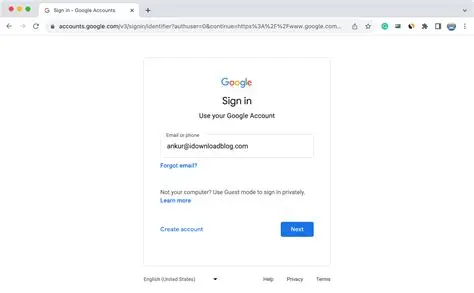
Do you want to lock down your Google account? Let us see if it is possible and how we can achieve this. So, let’s dive in and get started to see how it can be done.

You might also like

How to get Jirachi to move into your town in Pokopia?

How to reduce browser memory usage?

How to secure your home Wi-Fi network?

What does it mean to lock down a Google account?

Locking down a Google account means aggressively tightening its security to protect it from hackers. Since a Google account is often tied to multiple accounts and subscriptions, becoming the core that handles other accounts, it is better protected. It is what you do if you suspect someone broke in, or if you just want peace of mind that no one has.

To do this, first, you run a Security Checkup to see every device logged into your account and kick out any you do not recognize. Next, you change your password to something completely new and strong. The most crucial step is enabling 2-Step Verification, which requires a code sent to your phone or a physical security key whenever someone tries to log in. Finally, you update your recovery phone number and email so you never get locked out yourself. It basically strengthens the security of your Google account.

Steps to lock down a Google account

If you want to lock down a Google account, then these are the steps you need to follow.

  • First, you have to run a Security Checkup. To do this, go straight to your Google Account settings and look for the Security Checkup tool. It gives you a quick and clear view of whether anything is wrong, like a break-in or an unnoticed activity.
  • Most importantly, check connected devices. Look closely at the list of phones, tablets, and computers logged into your account. If you see a device you do not recognize, or an old one you do not use anymore, sign out of it immediately.
  • Change your password too. Create a strong, unique password that you do not use anywhere else. Try to keep it as strong as you can! It doesn’t have to be something that one can guess easily, like a repeated pattern or sequence.
  • Turn on 2-Step Verification. This adds an important second layer of defense that ensures safety even better. Whenever someone tries to log in from a new device, Google will require your password plus a prompt sent to your phone or a physical security key.
  • Revoke access for any websites, apps, and more that you no longer trust or use.
  • Finally, you need to update your recovery info. Make sure your backup phone number and recovery email address are accurate and current. This is exactly how Google verifies it is actually you if you ever get locked out.
Tags: #howtoGoogle Accountlock down a Google accountsecuring a google accountto lock down a Google account
Tweet54SendShare15
Previous Post

Coca-Cola’s $10 Billion India Bottling IPO Moves Forward As Banker Pitches Head To London

Next Post

How to reduce browser memory usage?

Afeefa Ansari

Recommended For You

How to get Jirachi to move into your town in Pokopia?

by Afeefa Ansari
July 4, 2026
0
Jirachi

Do you want Jirachi to move into your town in Pokémon Pokopia? Well, it's a thread! You will have to follow a couple of things and hop through...

Read more

How to reduce browser memory usage?

by Afeefa Ansari
July 4, 2026
0
Browser memory

Looking for ways to reduce browser memory usage? Follow the guide to find the right methods. We shall discuss these in detail and see what happens when one...

Read more

How to secure your home Wi-Fi network?

by Afeefa Ansari
July 4, 2026
0
WiFi security

Do you wish to secure your Wi-Fi at home? Follow the guide to know the methods and the steps that will help you secure the network back home....

Read more
Next Post
Browser memory

How to reduce browser memory usage?

Please login to join discussion

Techstory

Tech and Business News from around the world. Follow along for latest in the world of Tech, AI, Crypto, EVs, Business Personalities and more.
reach us at info@techstory.in

Advertise With Us

Reach out at - info@techstory.in

Aviator Game India 2026

BROWSE BY TAG

#Crypto #howto 2024 acquisition AI amazon Apple Artificial Intelligence bitcoin Business China cryptocurrency e-commerce electric vehicles Elon Musk Ethereum facebook funding Gaming Google India Instagram Investment ios iPhone IPO Market Markets Meta Microsoft News OpenAI samsung Social Media SpaceX startup startups tech technology Tesla TikTok trend trending twitter US

© 2025 Techstory.in

No Result
View All Result
  • News
  • Crypto
  • Gadgets
  • Memes
  • Gaming
  • Cars
  • AI
  • Startups
  • Markets
  • How to

© 2025 Techstory.in

Welcome Back!

Login to your account below

Forgotten Password?

Retrieve your password

Please enter your username or email address to reset your password.

Log In
Are you sure want to unlock this post?
Unlock left : 0
Are you sure want to cancel subscription?
