

• Send Us A Tip
  • Calling all Tech Writers
  • Advertise
Monday, July 6, 2026
  • Login
TechStory
  • News
  • Crypto
  • Gadgets
  • Memes
  • Gaming
  • Cars
  • AI
  • Startups
  • Markets
  • How to
No Result
View All Result
  • News
  • Crypto
  • Gadgets
  • Memes
  • Gaming
  • Cars
  • AI
  • Startups
  • Markets
  • How to
No Result
View All Result
TechStory
No Result
View All Result
Home How to

How to view instants on Instagram?

by Afeefa Ansari
July 6, 2026
in How to
Reading Time: 2 mins read
0
Instants

Credits - tn.com.ar

TwitterWhatsappLinkedin

Receiving instant messages from friends on Instagram? Here is how you can receive and open them when sent. Let us see how it can be done and how they work. So, let’s get started.

You might also like

How to get coin bags in Pokémon Go?

How to request money on X?

How To Catch Rare Pokemon In Pokémon GO

What are Instants on Instagram?

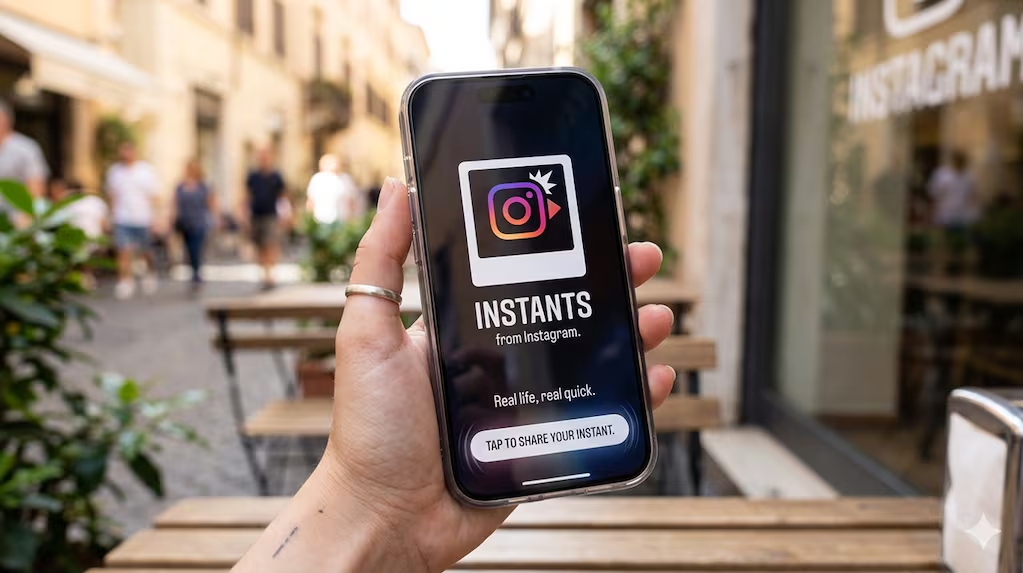
Instagram Instants is a new disappearing photo feature that launched in May 2026 and has been trending ever since.  It works like Instagram’s take on early Snapchat and is much like a Snap that opens only once. It is built directly into your direct messages and lets you share raw, real-time moments with your Close Friends or mutual followers. The catch is that you cannot use filters, upload from your camera roll, or edit the image at all. That’s what makes it all the more candid. You just take a quick picture, add a short caption, and send it. Once your friend opens the photo, it vanishes immediately. Unopened snaps expire after twenty-four hours. You also cannot take screenshots, which makes sharing feel more casual and private. It is all about spontaneous communication that doesn’t feel like a burden or something that someone can store in their devices. It is different from a perfectly polished feed, letting people be candid for that one shot.

Viewing instants on Instagram

If you want to view Instagram, then these are the steps that you need to follow.

  • It is pretty simple and will come naturally to you once you get the hang of it. Start by opening the Instagram application on your mobile device.
  • Jump into your direct message box, which is located in the top right corner of your screen.
  • Here, you have to have a look at the bottom right corner of your inbox screen for a mini photo-stack icon. This is what we’re looking for.
  • Now, check if there is a glowing ring or a notification number attached to this very stack, which indicates your friends have sent you new unread photos. Mind you, this is the place where you will find any instant sent to you.
  • Tap directly on the photo-stack icon to open the incoming stream of images.
  • Now you can view these real-time, unfiltered photos and read the text caption your friend wrote before taking the shot. Open it when you can watch, as you have to keep in mind that you can only view each photo once before it vanishes completely from your screen.
  • Even if you try to take a screenshot or screen recording, the platform blocks this action and will only capture a blank black screen.
  • Also, if you miss any of it and choose not to open it, it will go in this pile and will automatically expire and disappear after twenty-four hours.

Tags: #howtoHow to view Instants on Instagram?InstagramInstagram instantsinstantsview instants
Tweet54SendShare15
Previous Post

How to get coin bags in Pokémon Go?

Afeefa Ansari

Recommended For You

How to get coin bags in Pokémon Go?

by Afeefa Ansari
July 6, 2026
0
Coin Bags

Do you want to get a coin bag in Pokémon Go? Follow the guide to know how you can get this item in the game and then use...

Read more

How to request money on X?

by Afeefa Ansari
July 6, 2026
0
X

Want to ask for money from someone on X? Let us assist you. Follow the guide to know how you can judge someone to get money if you're...

Read more

How To Catch Rare Pokemon In Pokémon GO

by Khilav Jadav
July 5, 2026
0
How to Evolve Floette Pokémon GO

Finding rare Pokémon in Pokémon GO is one of the most exciting parts of the game. Whether you are searching for powerful Legendary Pokémon, elusive regional species, or...

Read more
Please login to join discussion

Techstory

Tech and Business News from around the world. Follow along for latest in the world of Tech, AI, Crypto, EVs, Business Personalities and more.
reach us at info@techstory.in

Advertise With Us

Reach out at - info@techstory.in

Aviator Game India 2026

BROWSE BY TAG

#Crypto #howto 2024 acquisition AI amazon Apple Artificial Intelligence bitcoin Business China cryptocurrency e-commerce electric vehicles Elon Musk Ethereum facebook funding Gaming Google India Instagram Investment ios iPhone IPO Market Markets Meta Microsoft News OpenAI samsung Social Media SpaceX startup startups tech technology Tesla TikTok trend trending twitter US

© 2025 Techstory.in

No Result
View All Result
  • News
  • Crypto
  • Gadgets
  • Memes
  • Gaming
  • Cars
  • AI
  • Startups
  • Markets
  • How to

© 2025 Techstory.in

Welcome Back!

Login to your account below

Forgotten Password?

Retrieve your password

Please enter your username or email address to reset your password.

Log In
Are you sure want to unlock this post?
Unlock left : 0
Are you sure want to cancel subscription?