• Send Us A Tip
  • Calling all Tech Writers
  • Advertise
Tuesday, September 8, 2026
  • Login
TechStory
  • News
  • Crypto
  • Gadgets
  • Memes
  • Gaming
  • Cars
  • AI
  • Startups
  • Markets
  • How to
No Result
View All Result
  • News
  • Crypto
  • Gadgets
  • Memes
  • Gaming
  • Cars
  • AI
  • Startups
  • Markets
  • How to
No Result
View All Result
TechStory
No Result
View All Result
Home How to

How to get Android 12 Beta on any Android Phone

by Arya Roy
May 22, 2021
in How to, Mobile, Tech, World
Reading Time: 2 mins read
0
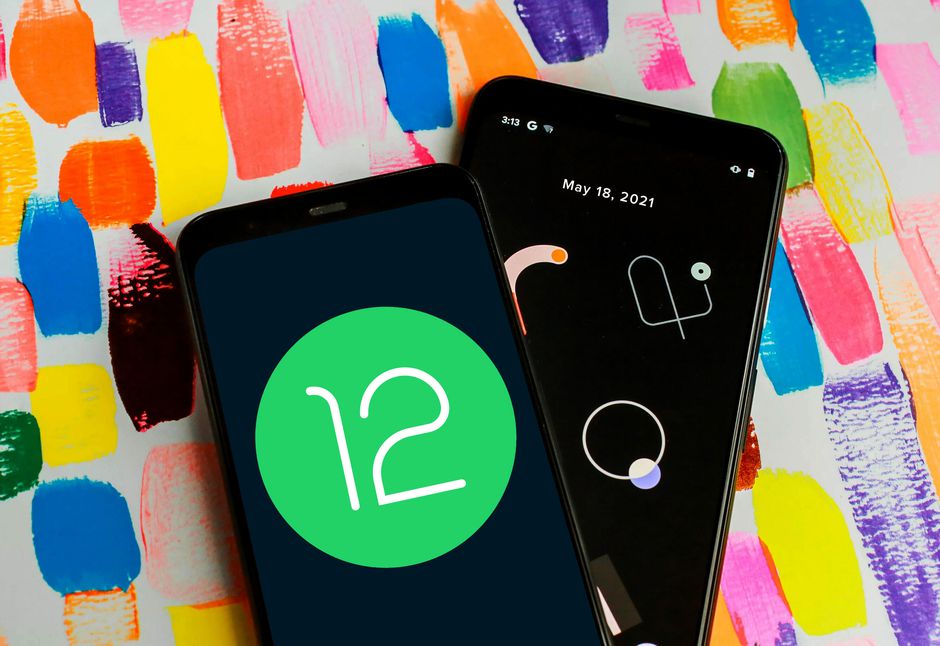
How to get Android 12 Beta on any Android Phone

Source: https://www.cnet.com/how-to/android-12-top-new-tools-in-googles-new-phone-os-we-think-youll-love/

TwitterWhatsappLinkedin

You might also like

How to Unlock Panda Costume in Onimusha: Way of the Sword

How To Get Armored Mewtwo Pokémon GO

How To Beat John Cena Challenge in Clash of Clans

Google announced the arrival of the first Android 12 update at its I/O 2021 event. The upcoming Android operating system comes with a wide variety of new changes and features. Unlike the Android developments that were announced in the last few years, in 2021 you can get an Android 12 beta update regardless of the company of your Android smartphone company, as it is not exclusive to only Pixel phones.
Source: https://blog.google/products/android/android-12-beta
The Android 12 beta update is available directly on the Google Pixel phones right from the Pixel 3 series through Pixel 5. Meanwhile, for Android devices from other brands, you will have to download the Android 12 beta for your respective phones from the Google developer preview website.

That is a big move from Google. So, even if you do not use a Pixel smartphone, there is no need for you to worry. The tech giant has exclusively partnered with multiple prominent Android smartphone companies, such as OnePlus, Vivo, Xiaomi, Oppo, Realme, Tecno, TCL, Asus, Sharp, TCL, and ZTE. You can also download and install the Android 12 update on your given flagship on any of the devices from the aforementioned list. This can be done if you do not have a Pixel smartphone. You can also head to the Android Developers website and directly download the update and install the Android 12 beta.

The Android 12 beta can be downloaded directly by updating your software from the settings menu of the Pixel phone. For other Android devices, you need to separately download the beta from the website. Prior to downloading this update, it is suggested that you back up your data and keep it aside before beginning to install the Android 12 beta update. For Pixel smartphones, the process is far simpler. All you have to do is sign in and select opt-in. Once you are done, accept the terms and conditions and click on the option that reads “Confirm and Enroll.”

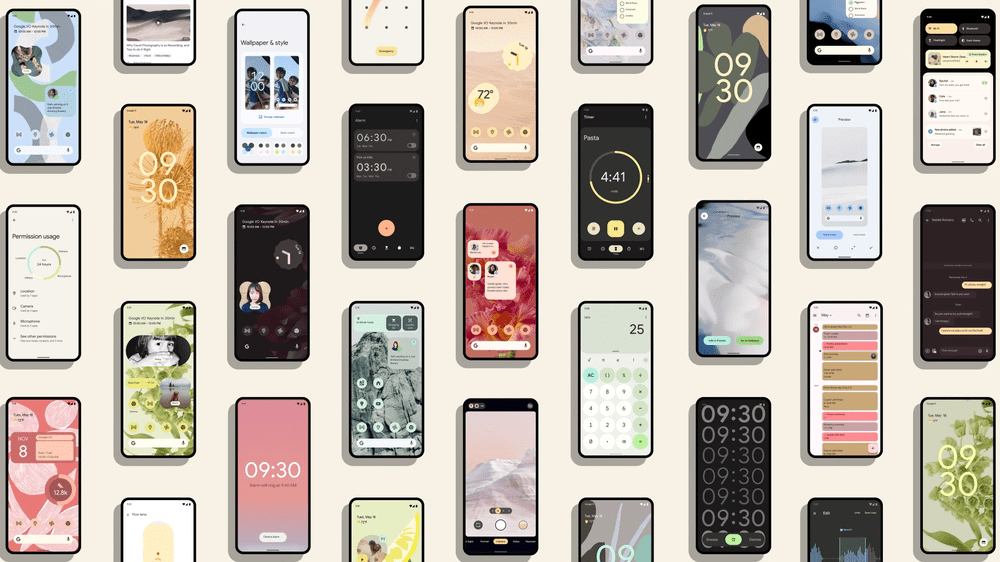
Android 12 comes with an array of new changes and additional features that were not present in previous iterations. These include:

  1. Android 12 centre around privacy options
  2. New privacy dashboard
  3. Ability to completely disable your microphone and camera with the option of a single click
  4. Upgraded system to manage your password
  5. A new system that will notify you when an app accesses the contents of your clipboard
  6. New UI
  7. Multiple changes in design
  8. New quick settings menu
  9. An entire set of new and updated animations

Tags: Android 12Pixel
Tweet54SendShare15
Previous Post

How to hide people from memories in Google Photos

Next Post

Latest Updates On Apple WWDC 2021 – Date, Expected Features For iOS 15 & MacOS 12

Arya Roy

Hi, this is Arya! Writing has always been a passion of mine, regardless of the topic I choose. Besides that, I am a huge foodie and music lover, whose interests range from world politics to horror films to everything in between.

Recommended For You

How to Unlock Panda Costume in Onimusha: Way of the Sword

by Khilav Jadav
September 7, 2026
0
How to Find the Hidden Path (In the Light of an Icy Moon) in Onimusha WOTS

The Panda Costume is one of the funniest cosmetic rewards in Onimusha: Way of the Sword. While Miyamoto Musashi spends most of the adventure fighting Genma and surviving...

Read more

How To Get Armored Mewtwo Pokémon GO

by Khilav Jadav
September 7, 2026
0
How to Evolve Floette Pokémon GO

Armored Mewtwo is one of the rarest special forms in Pokémon GO. Unlike regular Mewtwo, this version wears the heavy armor seen in Pokémon: Mewtwo Strikes Back –...

Read more

How To Beat John Cena Challenge in Clash of Clans

by Khilav Jadav
September 7, 2026
0
How To Beat Revenant Royalty Challenge in Clash of Clans

The John Cena Challenge has arrived in Clash of Clans as part of the WWE: Search for Cena event. Unlike a normal multiplayer attack, this challenge gives you...

Read more
Next Post
Latest Updates On Apple WWDC 2021 - Date, Expected Features For iOS 15 & MacOS 12

Latest Updates On Apple WWDC 2021 - Date, Expected Features For iOS 15 & MacOS 12

Please login to join discussion

Techstory

Tech and Business News from around the world. Follow along for latest in the world of Tech, AI, Crypto, EVs, Business Personalities and more.
reach us at info@techstory.in

Advertise With Us

Reach out at - info@techstory.in

Aviator Game India 2026

BROWSE BY TAG

#Crypto #howto 2024 acquisition AI amazon Apple Artificial Intelligence bitcoin Business China cryptocurrency e-commerce electric vehicles Elon Musk Ethereum facebook funding Gaming Google India Instagram Investment ios iPhone IPO Market Markets Meta Microsoft News OpenAI samsung Social Media SpaceX startup startups tech technology Tesla TikTok trend trending twitter US

© 2025 Techstory.in

No Result
View All Result
  • News
  • Crypto
  • Gadgets
  • Memes
  • Gaming
  • Cars
  • AI
  • Startups
  • Markets
  • How to

© 2025 Techstory.in

Welcome Back!

Login to your account below

Forgotten Password?

Retrieve your password

Please enter your username or email address to reset your password.

Log In
Are you sure want to unlock this post?
Unlock left : 0
Are you sure want to cancel subscription?