

• Send Us A Tip
  • Calling all Tech Writers
  • Advertise
Tuesday, June 16, 2026
  • Login
TechStory
  • News
  • Crypto
  • Gadgets
  • Memes
  • Gaming
  • Cars
  • AI
  • Startups
  • Markets
  • How to
No Result
View All Result
  • News
  • Crypto
  • Gadgets
  • Memes
  • Gaming
  • Cars
  • AI
  • Startups
  • Markets
  • How to
No Result
View All Result
TechStory
No Result
View All Result
Home Gaming

How To Install Gorilla Tag Mods on Oculus Quest 2

by Khilav Jadav
August 28, 2023
in Gaming, How to
Reading Time: 2 mins read
0
Gorilla Tag Mods
TwitterWhatsappLinkedin

Gorilla Tag mods bring a new level of excitement to this captivating VR game. If you’re curious about how to dive into the world of Gorilla Tag mods and enhance your gameplay, this guide will walk you through the process step by step.
You might also like

How to find some ChatGPT alternatives for students?

How to humanize AI text for free?

How to cancel a subscription on an iPhone?

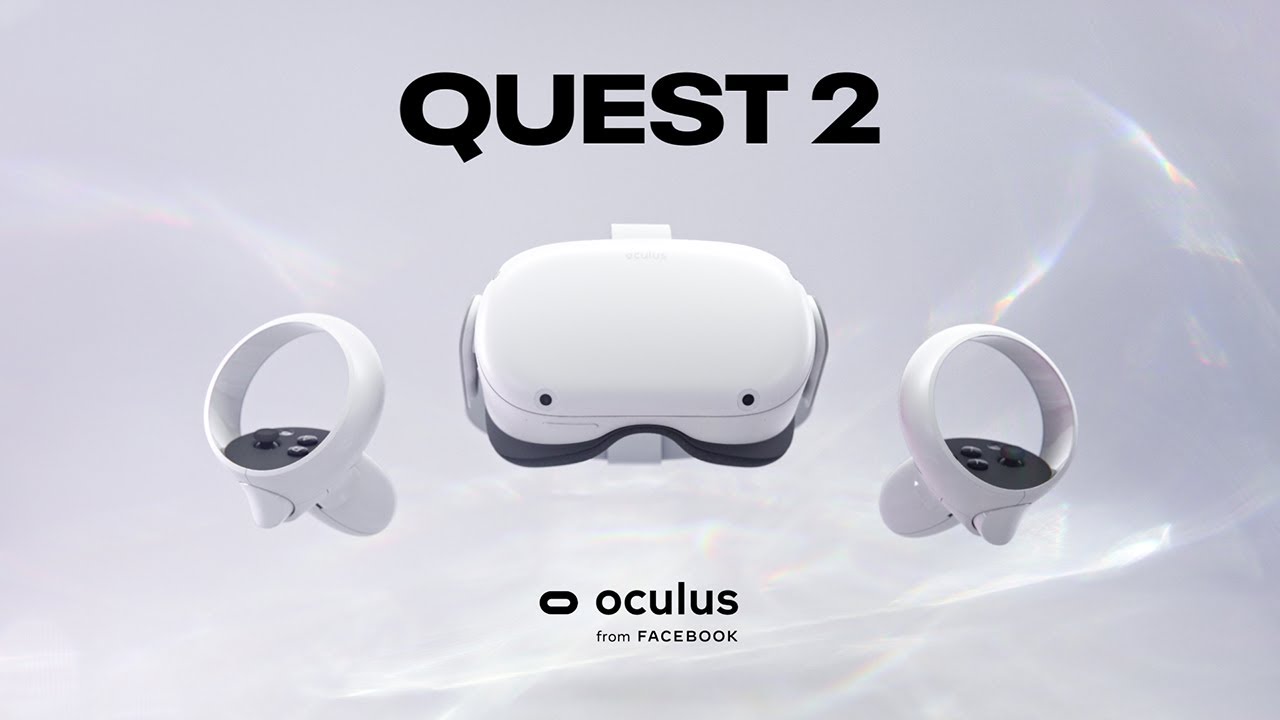
Gorilla Tag Mods
Credits – Meta

A New Way to Enhance Oculus Quest 2 Gaming

For all the Oculus Quest 2 fans out there looking to spice up their gaming experience, there’s a significant update you should know about. Unfortunately, the direct installation of Gorilla Tag mods on Quest 2 is no longer supported. Right now, there are no plans to bring back gorilla tag modding. If you’re eager to try out Gorilla Tag mods Quest 2, the path to explore is PCVR. You can gain insight into this shift by checking out the Gorilla Tag modding discord.

Avoiding Mod Installation Traps 

Before you jump into installing mods, it’s crucial to be cautious of misleading instructions. Some guides suggest using the QuestPatcher tool for mod installation, but they often miss a key point which is that it can make your Meta Quest 2 incompatible with Gorilla Tag gameplay. Your game will keep telling you that your version is old and needs fixing.

For Gorilla Tag Mod Quest 2 users who want to play Gorilla Tag via PCVR, Oculus Airlink is an option. Keep in mind that Airlink’s performance can suffer if your internet connection isn’t strong, leading to frame drops and a less enjoyable visual experience. If you choose Oculus Airlink, make sure your PC is connected to your router or modem using an ethernet cable.

If Airlink doesn’t work well, you can directly link your headset to your PC. To do this with an Oculus Quest 2, you’ll need an Oculus Link Cable or a compatible USB 3 cable. If you’re looking for one, you can find affordable options online, though they might not perform as well as the official Link Cable.

Installing Gorilla Tag Mods with the Monke Mod Manager 

To get started with PCVR Gorilla Tag mods, use the Monke Mod Manager. This handy program simplifies mod installation on your PC. Visit the Monke Mod Manager’s GitHub page through this link. Click on “MonkeModManager.exe” under “Assets” to start downloading the installer.

Whether the Monke Mod Manager detects the path automatically or you find it yourself, the app will open, showing a menu with checkboxes. Browse through the available mods and mark the ones you want to install. Click “Install/Update” in the bottom-right corner, and the Gorilla Tag mods will be installed quickly.

Conclusion

This guide has shown you the straightforward steps to install Gorilla Tag mods on your Oculus Quest 2. While mods can’t be directly installed on Quest 2, you can enjoy them on PCVR. Avoid the QuestPatcher tool, as it can disrupt your game. Monke Mod Manager is your tool for PCVR mod installation, and adding Monke Map Loader enhances gameplay. Remember to disable gameplay-affecting mods in public lobbies to avoid bans. For more mods, visit the Gorilla Tag modding discord and GitHub repositories.


Tags: Gorilla Tag ModsInstall Gorilla Tag ModsInstall ModsmodsOculus Quest 2
Tweet71SendShare20
Previous Post

Blockchain technology and cryptocurrencies in the world of online gaming

Next Post

Rayquaza Raid Guide: Strengths, Counters and Weakness

Khilav Jadav

Content writer at Techstory Media with a passion for gaming and finance. Currently pursuing a degree in data science, exploring the latest gaming titles and analyzing financial trends.

Recommended For You

How to find some ChatGPT alternatives for students?

by Afeefa Ansari
June 15, 2026
0
AI and students

Bored of using ChatGPT? Here are some other options you can try, especially if you are a student. Let's get you started and see some good alternatives that...

Read more

How to humanize AI text for free?

by Afeefa Ansari
June 15, 2026
0
Humanize text

Do you want to humanize your AI content for free? Here is how you can do it without spending any money. So, let's dive into it and see...

Read more

How to cancel a subscription on an iPhone?

by Afeefa Ansari
June 15, 2026
0
Iphone susbcriptions

Here is how you can cancel literally any subscription on your iPhone. Follow the guide to get the right method of doing so, which will only take a...

Read more
Next Post
Mega Rayquaza weakness

Rayquaza Raid Guide: Strengths, Counters and Weakness

Please login to join discussion

Techstory

Tech and Business News from around the world. Follow along for latest in the world of Tech, AI, Crypto, EVs, Business Personalities and more.
reach us at info@techstory.in

Advertise With Us

Reach out at - info@techstory.in

Aviator Game India 2026

BROWSE BY TAG

#Crypto #howto 2024 acquisition AI amazon Apple Artificial Intelligence bitcoin Business China cryptocurrency e-commerce electric vehicles Elon Musk Ethereum facebook funding Gaming Google India Instagram Investment ios iPhone IPO Market Markets Meta Microsoft News OpenAI samsung Social Media SpaceX startup startups tech technology Tesla TikTok trend trending twitter US

© 2025 Techstory.in

No Result
View All Result
  • News
  • Crypto
  • Gadgets
  • Memes
  • Gaming
  • Cars
  • AI
  • Startups
  • Markets
  • How to

© 2025 Techstory.in

Welcome Back!

Login to your account below

Forgotten Password?

Retrieve your password

Please enter your username or email address to reset your password.

Log In
Are you sure want to unlock this post?
Unlock left : 0
Are you sure want to cancel subscription?
