

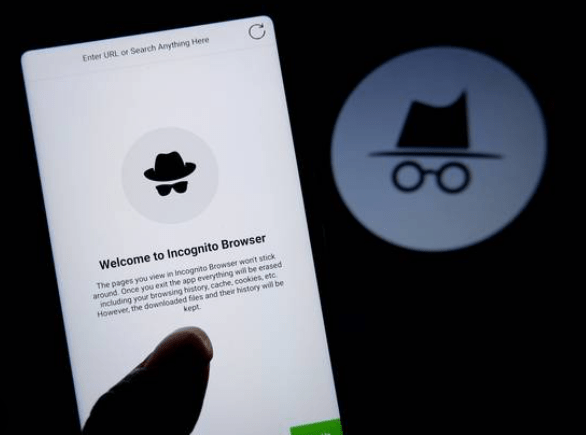
Concerns about user privacy have gained prominence recently, and several internet behemoths are dealing with legal issues. In one such instance, people claim that Google records their online actions even though the corporation guarantees private surfing when using its Incognito mode. This tutorial offers a step-by-step process for getting involved in the Google Incognito case if you’re interested in doing so to defend your privacy rights.
Recognise the Allegations
It’s important to recognise the precise accusations made against Google prior to filing a lawsuit. Users complain that the privacy that Incognito mode is meant to provide is compromised because the corporation is still gathering information about their internet activities even when they are in this mode. Learn about the case’s specifics so that you may decide whether or not to join.
Obtain Legal Counsel
In order to take part in the litigation, you will probably require legal counsel. Seek out legal professionals or firms that focus on class-action lawsuits and privacy. They can give you case-specific information, walk you through the procedure, and explain your rights. A lot of legal practices provide prospective plaintiffs with complimentary consultations.
Ascertain Eligibility
Not all individuals may be qualified to participate in a class-action lawsuit. Certain scenarios have participation requirements that must be met, such using Google services within a certain window of time. To find out if you fulfil the eligibility conditions, speak with your selected legal representative.
Collect Evidence
Provide proof of your experiences using Google’s Incognito mode to bolster your argument. Screenshots, emails, and any other supporting proof for your allegation of privacy infringement may be included in this. Your position in the lawsuit will be stronger the more convincing proof you can present.
File the Lawsuit
Collaborate with your attorney to file the lawsuit as soon as you have enough proof and legal counsel. One or more people file a class-action lawsuit on behalf of a wider group of people with related claims. You will be assisted by your attorney in bringing legal action against Google.
Keep Up to Date
As legal proceedings might take a long time, it’s critical to keep up to date on the case’s developments. Your lawyer will keep you informed of any changes, and as the case progresses, you might be required to submit further documentation or take part in specific activities.
Examine Your Settlement Options
The parties to many class-action cases finally come to an agreement. Your attorney will bargain on your behalf, and if the case is successful, you might be entitled to damages or other remedies. Before deciding, thoroughly review the details of any settlement and speak with your attorney.
In summary
One of the most important steps in promoting user privacy rights is to file a lawsuit against a major internet company like Google. You can actively support the legal proceedings addressing the purported privacy infractions in Google’s Incognito mode by doing the following actions. It is important to remember to obtain legal counsel, compile supporting documentation, and maintain awareness at all times to make sure your involvement is fruitful and significant.




