• Send Us A Tip
  • Calling all Tech Writers
  • Advertise
Sunday, June 28, 2026
  • Login
TechStory
  • News
  • Crypto
  • Gadgets
  • Memes
  • Gaming
  • Cars
  • AI
  • Startups
  • Markets
  • How to
No Result
View All Result
  • News
  • Crypto
  • Gadgets
  • Memes
  • Gaming
  • Cars
  • AI
  • Startups
  • Markets
  • How to
No Result
View All Result
TechStory
No Result
View All Result
Home How to

How to send money internationally with Google Pay

by Arya Roy
May 23, 2021
in How to, Tech
Reading Time: 2 mins read
0
How to send money internationally with Google Pay

Source: https://blog.google/products/google-pay/announcing-google-pay/

TwitterWhatsappLinkedin

Thanks to numerous advances in technology, the world feels like it has gotten smaller in recent decades. Despite this, we are still very far away from adopting a universal currency. Sending money across borders — from the US to India, for example — is still not as seamless as we would want it to be. Luckily for us, Google Pay wants to change this.

You might also like

How To Complete A Full Shift Of Tokyo City Food Delivery In Forza Horizon 6

How To Cheese Morgeth In Destiny 2

How To Get & Use Shock Rocks In Fortnite

Recently, tech giant Google announced its new partnership with Wise – previously known as Transfer Wise – a London-based financial technology company, and Western Union, an American worldwide financial services and communications company, which allows users in the US to send money to India and Singapore from within the application.
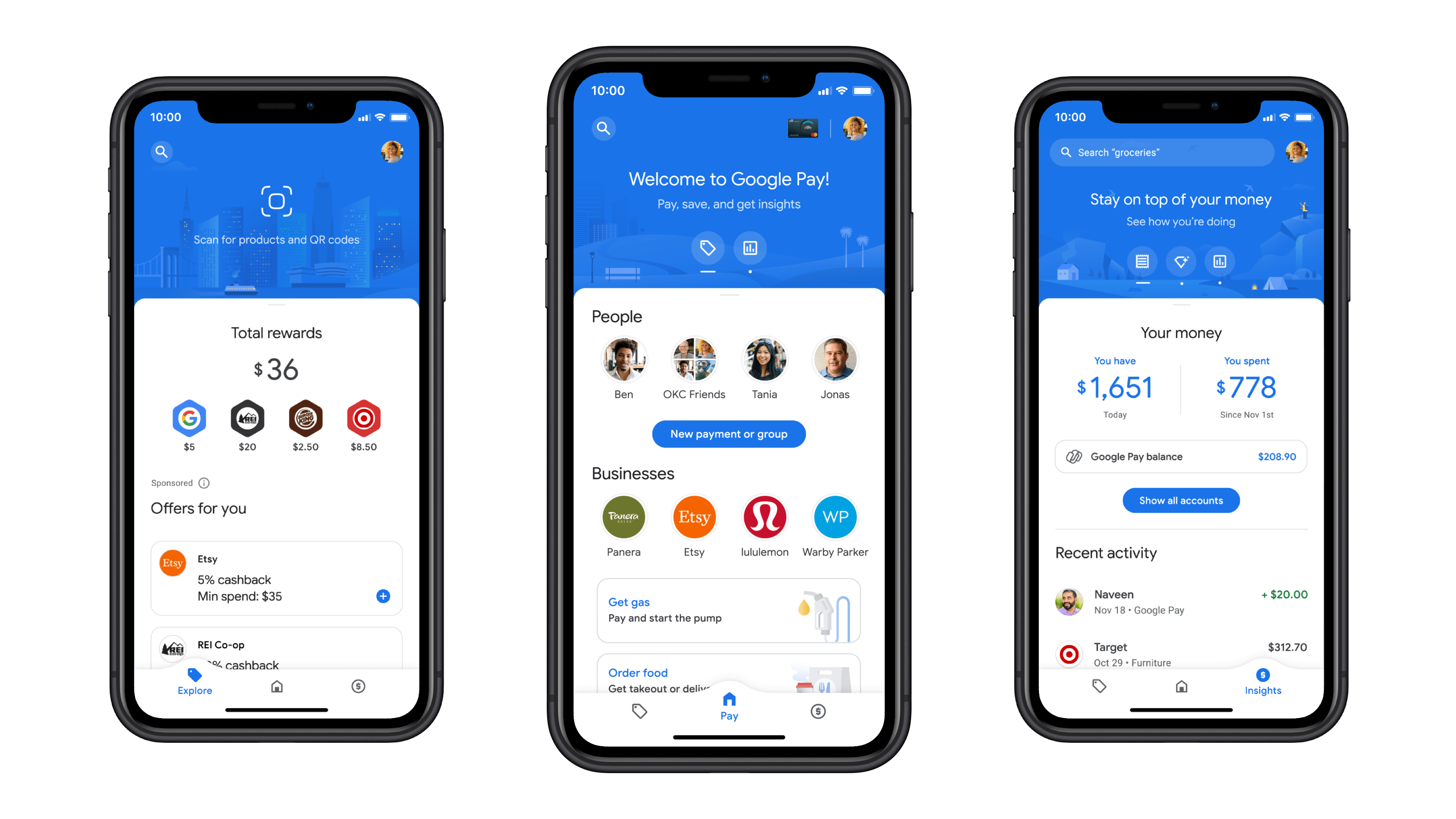
Source: https://techcrunch.com/2020/11/18/google-pay-gets-a-major-redesign/

Prior to jumping into how it all works, it is important for you to note that the recipient will have to be registered on Google Pay and have their bank account connected through UPI in India and PayNow in Singapore. Also, payments are currently only possible from person to person, and thus, businesses are unable to send or receive money yet. If you have taken care of these required circumstances, follow the steps provided below:

  1. If the recipient is already in your contacts list, you can type in their name in the search bar. If not, you can use either their email ID or number to initiate your payment.
  2. Once you click on the recipient’s name, you will open the payment window. You should see a disclaimer at the top telling you that you will have to use a Google Pay partner to send money internationally.
  3. In the box provided at the bottom, enter the amount of money that you want to transfer and tap on pay.
  4. This will bring up a pop-up card asking you to choose between Wise and Western Union, the two partners Google Pay is currently supporting. You will be able to see the actual amount that the recipient will receive before you continue.
  5. If you select Western Union, the recipient will have the option to collect the money in person or directly receive it in their bank account. You can choose to pay the amount through your credit/debit card, bank account, or Google Pay balance. There is a limit of $50,000 per transaction.
  6. If you choose Wise, you will only be able to pay via your credit or debit card. The amount you send will directly be deposited in the bank account of the recipient. There a limit of $2,000 per transaction.
  7. Once your payment has been initiated, you will be able to track the status of it within the contact’s chat itself.

Tags: GoogleWestern UnionWISE
Tweet54SendShare15
Previous Post

Apple CEO defends policies in trial against Epic Games

Next Post

Dominos’ Customer Data Hacked

Arya Roy

Hi, this is Arya! Writing has always been a passion of mine, regardless of the topic I choose. Besides that, I am a huge foodie and music lover, whose interests range from world politics to horror films to everything in between.

Recommended For You

How To Complete A Full Shift Of Tokyo City Food Delivery In Forza Horizon 6

by Khilav Jadav
June 28, 2026
0
How To Get Money Fast in Forza Motorsport

If you are trying to finish the Tokyo City Food Delivery activity in Forza Horizon 6, you may be wondering what actually counts as a full shift. Many...

Read more

How To Cheese Morgeth In Destiny 2

by Khilav Jadav
June 28, 2026
0
How To Summon Pauurc in Destiny 2

Many players still search for ways to cheese Morgeth in Destiny 2, especially if they only need to reach the Corrupted Egg after the encounter or want a...

Read more

How To Get & Use Shock Rocks In Fortnite

by Khilav Jadav
June 28, 2026
0
How to Get the Free De-Rezz De-Stroyer Pickaxe in Fortnite

Shock Rocks are one of the newest mobility items added to Fortnite, giving players a fast and creative way to move around the island. Unlike traditional movement items...

Read more
Next Post
Dominos Data Leak

Dominos’ Customer Data Hacked

Please login to join discussion

Techstory

Tech and Business News from around the world. Follow along for latest in the world of Tech, AI, Crypto, EVs, Business Personalities and more.
reach us at info@techstory.in

Advertise With Us

Reach out at - info@techstory.in

Aviator Game India 2026

BROWSE BY TAG

#Crypto #howto 2024 acquisition AI amazon Apple Artificial Intelligence bitcoin Business China cryptocurrency e-commerce electric vehicles Elon Musk Ethereum facebook funding Gaming Google India Instagram Investment ios iPhone IPO Market Markets Meta Microsoft News OpenAI samsung Social Media SpaceX startup startups tech technology Tesla TikTok trend trending twitter US

© 2025 Techstory.in

No Result
View All Result
  • News
  • Crypto
  • Gadgets
  • Memes
  • Gaming
  • Cars
  • AI
  • Startups
  • Markets
  • How to

© 2025 Techstory.in

Welcome Back!

Login to your account below

Forgotten Password?

Retrieve your password

Please enter your username or email address to reset your password.

Log In
Are you sure want to unlock this post?
Unlock left : 0
Are you sure want to cancel subscription?