• Send Us A Tip
  • Calling all Tech Writers
  • Advertise
Tuesday, June 30, 2026
  • Login
TechStory
  • News
  • Crypto
  • Gadgets
  • Memes
  • Gaming
  • Cars
  • AI
  • Startups
  • Markets
  • How to
No Result
View All Result
  • News
  • Crypto
  • Gadgets
  • Memes
  • Gaming
  • Cars
  • AI
  • Startups
  • Markets
  • How to
No Result
View All Result
TechStory
No Result
View All Result
Home Tech

Instagram adds “See Translation” to Stories, can translate text into over 90 languages

by Chhavideep Singh
July 22, 2021
in Tech, World
Reading Time: 2 mins read
0
Instagram Stories
TwitterWhatsappLinkedin
Instagram Stories
Source: Crowdfire

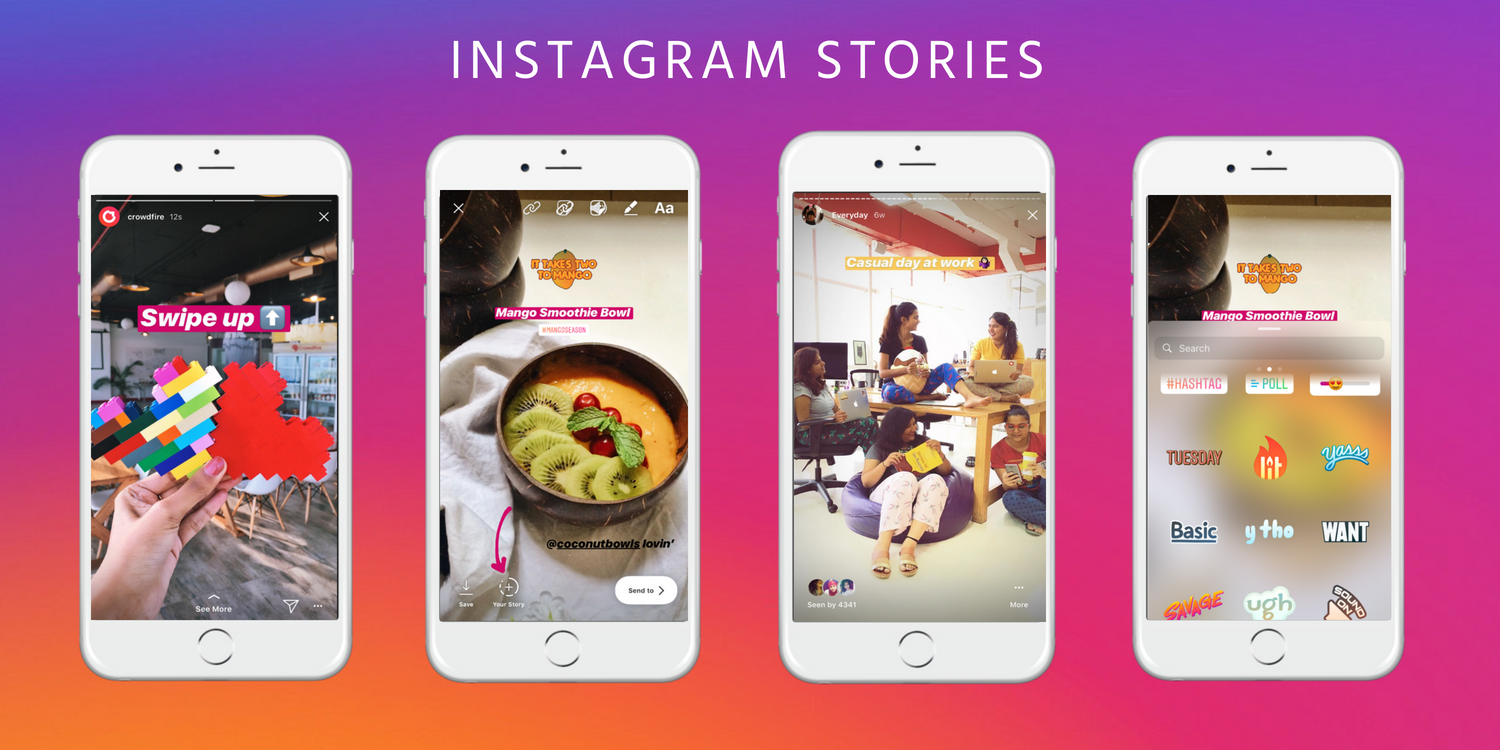
Instagram is one of the most popular social media platforms in the world and people love using the app to share their life, share their opinions and share their beautiful pictures with people across the globe. The platform started out mainly for photographers but eventually, it grew support for videos, editing, and other multimedia. One of the features that Instagram users love using is Stories. The idea for stories was inspired by Snapchat’s 24-hour posts and IG Stories works exactly the same way but of course in a much larger volume.

You might also like

Wi-Fi 6E vs. Wi-Fi 7: Which Wireless Standard Should You Choose

What Is Zero Trust Security? A Complete Guide

Smart Rings vs Smartwatches: Which Is Best for You?

Mentioning Stories was an intentional context because Instagram has recently announced to add support for translation, integrated within the Stories format. With the global popularity of Instagram, there are times when you are viewing Stories of people from another corner of the world and they have added a caption in their Story which is in their native language and you find it impossible to understand it. Usually, people copy that text, use a Google translator or Apple translator to understand what the text meant but all of this effort is bugging, most of the time.

Instagram is putting an end to this inconvenience by introducing a “See translation” banner in the top left corner of the Instagram Stories page that will translate any foreign text that you see in Stories with just a tap on the banner. The popular social media platform has announced to roll out this new feature to users across the globe.

Do you understand how this feature will ease communicating with foreigners who don’t speak or understand your mother tongue? Until today, users had to go outside of the IG app to translate and understand the foreign text but not anymore and this convenience will make Instagram much more interactive, especially for people who are worlds apart.

As mentioned in a report by Engadget, Instagram will now detect that you are viewing a Story in another language and will automatically display a “See translation” banner somewhere in the top left corner of the IG Stories page. Simply click on that banner and the text will automatically translate to your native tongue.

Starting today, Instagram will add support for over 90 languages through this feature and it will work wonders for people and make their life much more convenient. Instagram’s recently added auto-captioning feature is a very useful feature too and paired together with “See Translation”, Instagram is becoming the king of social media and according to what the analysts are saying, Instagram is the biggest threat to Facebook’s main app.

Tags: InstagramInstagram StoriesTranslation
Tweet54SendShare15
Previous Post

Tumblr is testing paid subscriptions with Post+ feature

Next Post

The Best video player for your Mac in 2021- Elmedia Player

Chhavideep Singh

Hi! I'm Chhavideep, If you like reading about technology, business and start-ups, you've come to the right place. Catch me: chhavideep@connasys.com

Recommended For You

Wi-Fi 6E vs. Wi-Fi 7: Which Wireless Standard Should You Choose

by Ishaan Negi
June 29, 2026
0
Wi-Fi 6E vs. Wi-Fi 7: Which Wireless Standard Should You Choose

Wireless technology has evolved rapidly over the past few years, and with each new generation, home networks have become faster, smarter, and better equipped to handle the growing...

Read more

What Is Zero Trust Security? A Complete Guide

by Ishaan Negi
June 29, 2026
0
What Is Zero Trust Security? A Complete Guide

Zero Trust security is a modern cybersecurity framework built on one simple principle: "Never trust, always verify." Unlike traditional security models that automatically trust users and devices inside...

Read more

Smart Rings vs Smartwatches: Which Is Best for You?

by Sneha Singh
June 29, 2026
0
Smart Rings vs Smartwatches: Which Is Best for You?

The wearable market has experienced a dramatic evolution during the past years. Initially, wearable technologies were limited to fitness trackers that helped people to keep track of their...

Read more
Next Post
The Best video player for your Mac in 2021- Elmedia Player

The Best video player for your Mac in 2021- Elmedia Player

Please login to join discussion

Techstory

Tech and Business News from around the world. Follow along for latest in the world of Tech, AI, Crypto, EVs, Business Personalities and more.
reach us at info@techstory.in

Advertise With Us

Reach out at - info@techstory.in

Aviator Game India 2026

BROWSE BY TAG

#Crypto #howto 2024 acquisition AI amazon Apple Artificial Intelligence bitcoin Business China cryptocurrency e-commerce electric vehicles Elon Musk Ethereum facebook funding Gaming Google India Instagram Investment ios iPhone IPO Market Markets Meta Microsoft News OpenAI samsung Social Media SpaceX startup startups tech technology Tesla TikTok trend trending twitter US

© 2025 Techstory.in

No Result
View All Result
  • News
  • Crypto
  • Gadgets
  • Memes
  • Gaming
  • Cars
  • AI
  • Startups
  • Markets
  • How to

© 2025 Techstory.in

Welcome Back!

Login to your account below

Forgotten Password?

Retrieve your password

Please enter your username or email address to reset your password.

Log In
Are you sure want to unlock this post?
Unlock left : 0
Are you sure want to cancel subscription?