

• Send Us A Tip
  • Calling all Tech Writers
  • Advertise
Sunday, June 28, 2026
  • Login
TechStory
  • News
  • Crypto
  • Gadgets
  • Memes
  • Gaming
  • Cars
  • AI
  • Startups
  • Markets
  • How to
No Result
View All Result
  • News
  • Crypto
  • Gadgets
  • Memes
  • Gaming
  • Cars
  • AI
  • Startups
  • Markets
  • How to
No Result
View All Result
TechStory
No Result
View All Result
Home Gaming

Official Steam Deck Repair Centers Are Now Open

by Priyansh Sidhwani
September 11, 2022
in Gaming, News
Reading Time: 2 mins read
0
Official Steam Deck Repair Centers

Credit @ Valve

TwitterWhatsappLinkedin

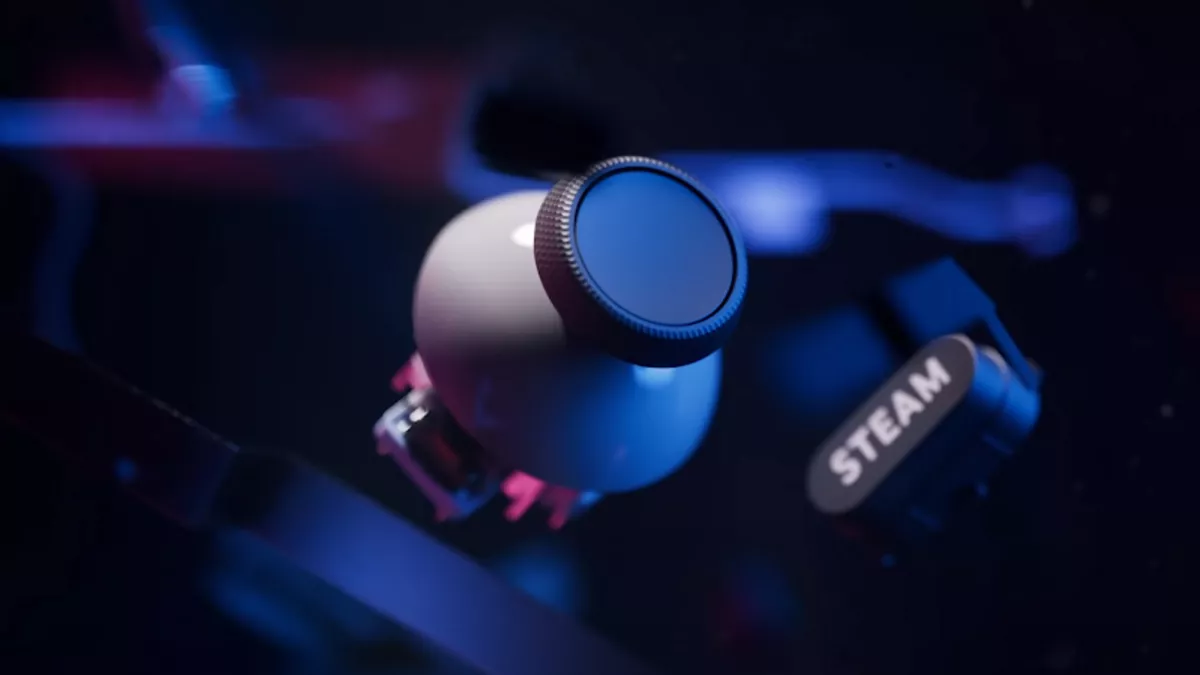
Valve recently announced that its official Steam Deck repair center is now open, accepting repairs for Steam Deck users who are experiencing damage to their devices, or replacing them as necessary. Valve says problems not covered under the warranty are still available for repairs in its Steam Deck repair centers, but individuals are expected to pay for those repairs.
You might also like

How To Complete A Full Shift Of Tokyo City Food Delivery In Forza Horizon 6

How To Cheese Morgeth In Destiny 2

How To Get & Use Shock Rocks In Fortnite

Official Steam Deck Repair Centers
Credit @ Valve

Fortunately, repairs to problems covered by its warranty are free, although issues beyond it do impose a cost on Steam Deck users should they require repairs. Valve says that they will handle all repairs if Steam Deck is covered under the systems one-year warranty.

If you receive a Steam Deck that is not covered under the warranty, their team will contact you and offer to fix the unit (if the repair is feasible) at no charge. If you experience a problem and must ship a Steam Deck for repair or replacement, devices will now be shipped to one of the Valves Repair Centers.

If you have a Steam Deck that needs help, and you would like to take advantage of Valves repair centers, you can get started turning the wheels by reaching out to Steam support. If your device starts developing a periodic issue with the buttons (rare, but happens occasionally), reach out to Support, which can help to have your Steam Deck shipped to one of several repair centers.

We’re happy to announce that our Steam Deck repair centers are now open! If a Steam Deck has an issue and needs to be sent in, repairs covered by warranty will be performed free of charge. If not covered by warranty, you can opt to have your device repaired for a fee. pic.twitter.com/VXGdczeOvX

— Steam Deck (@OnDeck) September 9, 2022

Valve says if you experience a problem with their new handheld, you can send your Steam Deck in for repairs or a replacement through one of their repair centers, where the team will diagnose the unit, make repairs as necessary, and then send you back the fixed unit.

Whereas before, the only option available was trying a DIY repair using Steam Deck parts available at the iFixit shop, users can now opt for the Steam Deck Repair Centre to address issues for them, though at a cost. With repair centers now on-line, even if someone ends up with a defective Deck, this should be a relatively simple problem to fix. 

Something like a random issue with the button inputs will be covered by warranty, and Valve will fix and send back to the client at no cost. Affected users would just need to reach out to Valve Support to setup the shipping process for their device, after which the nearest repair facility would diagnose the issue and repair it for no extra charge, provided that the issue is covered by the warranty. Steam Decks warranty does not cover modified Steam Decks, nor devices repaired by anyone but the designated Valve repair facility. The process of getting repairs done by Valve can be accessed via Steams Help pages. 

Tags: Official Steam Deck Repair CentersSteam DeckSteam Deck Repair
Tweet55SendShare15
Previous Post

Roblox Will Add Age Guidelines To Its Games

Next Post

Tron Identity Visual Novel Game Announced

Priyansh Sidhwani

Hi! I'm Priyansh, I write articles about gaming news here at Techstory. To get in touch E-mail: Priyansh@connasys.com.

Recommended For You

How To Complete A Full Shift Of Tokyo City Food Delivery In Forza Horizon 6

by Khilav Jadav
June 28, 2026
0
How To Get Money Fast in Forza Motorsport

If you are trying to finish the Tokyo City Food Delivery activity in Forza Horizon 6, you may be wondering what actually counts as a full shift. Many...

Read more

How To Cheese Morgeth In Destiny 2

by Khilav Jadav
June 28, 2026
0
How To Summon Pauurc in Destiny 2

Many players still search for ways to cheese Morgeth in Destiny 2, especially if they only need to reach the Corrupted Egg after the encounter or want a...

Read more

How To Get & Use Shock Rocks In Fortnite

by Khilav Jadav
June 28, 2026
0
How to Get the Free De-Rezz De-Stroyer Pickaxe in Fortnite

Shock Rocks are one of the newest mobility items added to Fortnite, giving players a fast and creative way to move around the island. Unlike traditional movement items...

Read more
Next Post
Tron Identity Visual Novel Game Announced

Tron Identity Visual Novel Game Announced

Please login to join discussion

Techstory

Tech and Business News from around the world. Follow along for latest in the world of Tech, AI, Crypto, EVs, Business Personalities and more.
reach us at info@techstory.in

Advertise With Us

Reach out at - info@techstory.in

Aviator Game India 2026

BROWSE BY TAG

#Crypto #howto 2024 acquisition AI amazon Apple Artificial Intelligence bitcoin Business China cryptocurrency e-commerce electric vehicles Elon Musk Ethereum facebook funding Gaming Google India Instagram Investment ios iPhone IPO Market Markets Meta Microsoft News OpenAI samsung Social Media SpaceX startup startups tech technology Tesla TikTok trend trending twitter US

© 2025 Techstory.in

No Result
View All Result
  • News
  • Crypto
  • Gadgets
  • Memes
  • Gaming
  • Cars
  • AI
  • Startups
  • Markets
  • How to

© 2025 Techstory.in

Welcome Back!

Login to your account below

Forgotten Password?

Retrieve your password

Please enter your username or email address to reset your password.

Log In
Are you sure want to unlock this post?
Unlock left : 0
Are you sure want to cancel subscription?

