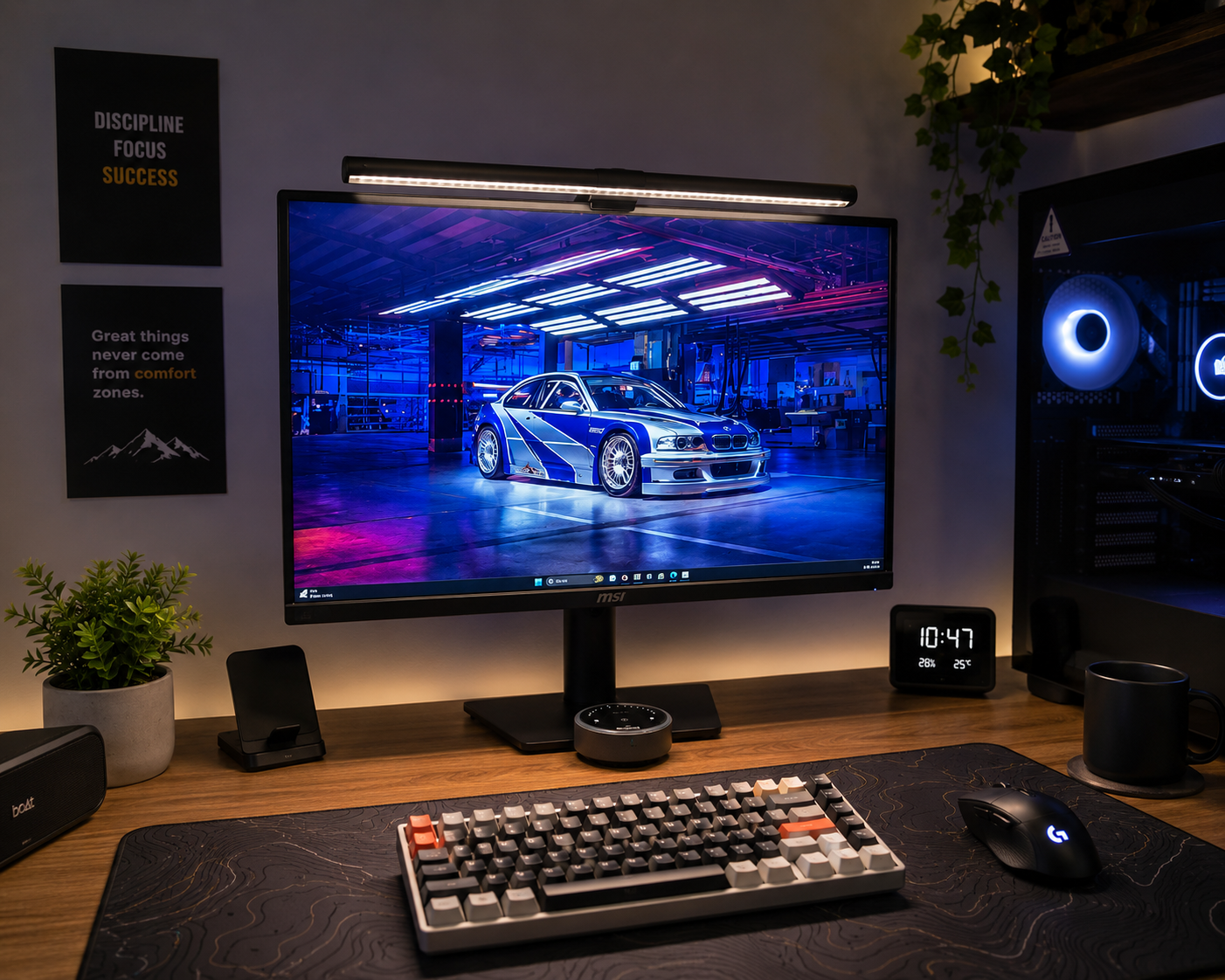
A monitor light bar is one of those accessories you don’t really think you need until you start using one. Once you have decent lighting around your monitor, though, going back to a dark desk with a bright screen can feel surprisingly uncomfortable.
The Quntis Monitor Light Bar Glow takes the basic monitor light bar concept and adds a few features that make it more interesting. It has a 20.1-inch light bar, RGB lighting at the back, an adjustable mounting system, and plenty of control over brightness and color temperature.
It’s clearly designed with larger monitors and modern desk setups in mind.
So, is it actually worth considering?
The 20.1-inch design makes a noticeable difference
The first thing you’ll notice about the Quntis Monitor Light Bar Glow is its size.
At 20.1 inches, it’s considerably longer than the older 15.7-inch version. That might not sound like a huge difference on paper, but it becomes more noticeable when you put it over a 27-inch or larger monitor.
With shorter light bars, the brightest part of the desk tends to be directly underneath the center of the monitor. The areas toward the sides can still be relatively dark.
The longer Glow Plus spreads the light over a much wider area.
That should be particularly useful if you’re using a 27-inch, 32-inch, or 34-inch ultrawide monitor. It’s also an interesting option for people who have larger desks and want more consistent lighting across their workspace.
The extra length doesn’t make the light bar look particularly bulky, either. It still keeps the clean appearance you’d expect from a monitor-mounted light.
The rear RGB lighting is more than just decoration
The front light is what makes the Glow Plus useful, but the RGB lighting on the back is probably what makes it more interesting than a basic monitor light bar.
Quntis has extended the backlighting area to 6.29 inches on both sides, creating a wider glow behind the monitor.
In a dark room, that ambient lighting can make a noticeable difference to the overall look of the desk.
For gaming, it adds some atmosphere. For watching movies, it creates a more relaxed environment. And if you’re someone who likes RGB lighting, it gives the monitor a little more personality without requiring another lighting accessory.
There’s also a practical side to having some light behind the monitor. Instead of having a bright screen surrounded by a completely dark room, the rear glow creates some ambient illumination around the display.
Installation is surprisingly important with monitor light bars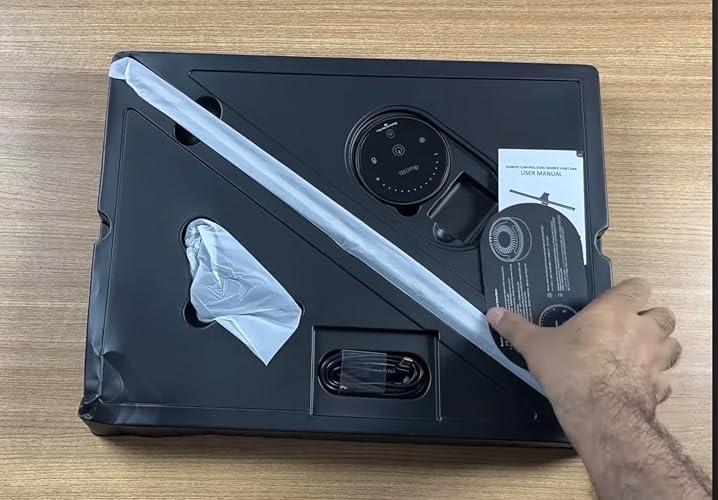
There’s not much point in having a great light bar if it doesn’t sit properly on your monitor.
This is where the Glow Plus takes a slightly different approach. It uses an improved weighted sliding clip designed to provide a more stable fit across different monitor designs. Quntis specifically highlights the design for curved monitors as well.
The adjustable sliding points allow the mounting system to be positioned according to the thickness of the display.
In practical terms, you don’t need to permanently attach anything to the monitor. You simply position the light bar and adjust the clip until everything sits securely.
That’s useful if you regularly change your monitor or rearrange your desk. You don’t want an accessory like this to leave marks or require a permanent modification to the display.
Three ways to use the lighting
The Glow Plus isn’t simply one light with a few brightness settings. You can use the front and rear lighting independently or together.
Front light
This is the mode you’ll probably use most often for work.
The light is directed toward the desk rather than straight at your eyes, using Quntis’ asymmetric lighting design.
That’s useful because screen glare can become annoying very quickly, particularly if you’re working with a glossy display.
For reading, writing, studying, coding, or general office work, the front light is the practical part of the product.
Rear light
Switch to the rear lighting when you want more of an ambient effect.
This is where the RGB lighting comes into its own.
Gaming at night with the RGB glow behind the monitor feels considerably different from working with only the main desk light on. It’s also a nice option when you’re watching something and don’t want a bright light shining directly across your desk.
Front and rear together
This is probably the mode that makes the most sense in the evening.
You get enough light on the desk to see your keyboard, notebook, and other items while the rear lighting provides a softer glow around the monitor.
It gives the setup a more balanced appearance without needing a separate desk lamp.
The remote is a small feature that makes a big difference
Lighting controls are easy to overlook when buying a monitor light.
You might think you’ll set the brightness once and never touch it again. In reality, you’ll probably change it depending on the time of day.
The Glow Plus comes with a redesigned remote featuring illuminated controls, which is particularly useful when you’re using the light at night. The power button also remains softly illuminated.
It offers stepless brightness and color-temperature adjustment, so you’re not restricted to a handful of preset levels.
The color temperature can be adjusted from around 3000K to 6500K, giving you the option of warmer or cooler lighting depending on the environment.
A cooler tone can work well during the day when you’re working, while a warmer setting can make the desk feel more comfortable in the evening.
It’s a small convenience, but one that becomes more useful the longer you use the light.
Quntis has put a lot of LEDs into this thing
The front light uses 88 LEDs, while the rear lighting has another 55 LEDs. Quntis also rates the front lighting at Ra95 CRI.
The number of LEDs alone doesn’t determine whether a light is good, of course. How they’re arranged and how the light is distributed across the desk matter just as much.
Still, the specifications are impressive on paper.
The high CRI rating is particularly interesting for people who work with visual content. If you’re editing photographs, working on graphics, editing video, or doing other color-sensitive work, accurate color rendering becomes more important.
For everyday office work, you probably won’t notice the difference as much. But for designers, photographers, and content creators, it’s a feature worth having.
Does it actually help with eye strain?
This is one claim I’d approach with a little caution.
A monitor light isn’t going to magically eliminate eye fatigue. If you’re staring at a screen for eight hours without taking breaks, changing your lighting alone isn’t going to solve the problem.
That said, the right lighting can make the environment more comfortable.
The Glow Plus is designed to reduce direct glare from the light and provide some ambient illumination behind the display. That can help reduce the harsh difference between a bright monitor and a completely dark room.
Combined with flicker-free illumination, adjustable brightness, and color temperature, it gives you more control over the lighting around your screen.
For long working sessions, that’s a useful advantage.
It also keeps the desk cleaner
One of my favorite things about monitor light bars in general is how little space they take up.
A traditional desk lamp needs somewhere to sit. Depending on the design, its base can take up a surprisingly large part of your desk.
The Glow Plus simply sits on top of the monitor.
That leaves the rest of the desk free for your keyboard, mouse, speakers, notebooks, charging docks, or whatever else you have on your workstation.
For smaller desks, this can be particularly useful.
And if you’ve spent time building a minimalist setup, not having another object sitting on the desk is definitely a bonus.
Who is the Quntis Monitor Light Bar Glow for?
I think the Glow Plus makes the most sense for a few specific types of users.
People working from home: The front light provides additional illumination without requiring a separate desk lamp.
Gamers: The rear RGB lighting adds some atmosphere, particularly in darker rooms.
Content creators: The longer light bar and high CRI rating make it an interesting option for people working with visual content.
Ultrawide monitor owners: The 20.1-inch design makes more sense than a short light bar when you’re trying to illuminate a larger workspace.
Minimalist desk enthusiasts: Since the light sits on the monitor, you don’t have to sacrifice valuable desk space.
Final thoughts
The Quntis Monitor Light Bar Glow feels like a monitor light designed for people who have moved beyond the basic home-office setup.
The 20.1-inch length makes it better suited to larger monitors, while the rear RGB lighting gives it something that many conventional light bars don’t have. Add the adjustable mounting system, high-CRI front lighting, stepless brightness controls, and adjustable color temperature, and there’s quite a bit going on here.
But the biggest advantage may actually be how it brings several things together in one relatively simple accessory.
You get task lighting for work, ambient lighting for gaming and entertainment, and a cleaner desk because you don’t need to find space for another lamp.
If you’re using a large monitor and spend several hours a day at your desk, the ScreenLinear Glow Plus is certainly worth considering. It isn’t going to transform your entire workstation by itself, but it can make the space feel more comfortable, more organized, and a lot better at night.
For a modern workstation where both functionality and aesthetics matter, Quntis has made a convincing case for why a monitor light bar can be more than just another desk accessory.