• Send Us A Tip
  • Calling all Tech Writers
  • Advertise
Tuesday, September 29, 2026
  • Login
TechStory
  • News
  • Crypto
  • Gadgets
  • Memes
  • Gaming
  • Cars
  • AI
  • Startups
  • Markets
  • How to
No Result
View All Result
  • News
  • Crypto
  • Gadgets
  • Memes
  • Gaming
  • Cars
  • AI
  • Startups
  • Markets
  • How to
No Result
View All Result
TechStory
No Result
View All Result
Home Gaming

How to use Apple Arcade on your Mac

by Arya Roy
July 4, 2021
in Gaming, How to, Tech
Reading Time: 2 mins read
0
How to use Apple Arcade on your Mac

Source: https://9to5mac.com/2019/09/13/apple-arcade-exclusive-means-not-on-android-consoles-are-fair-game/

TwitterWhatsappLinkedin

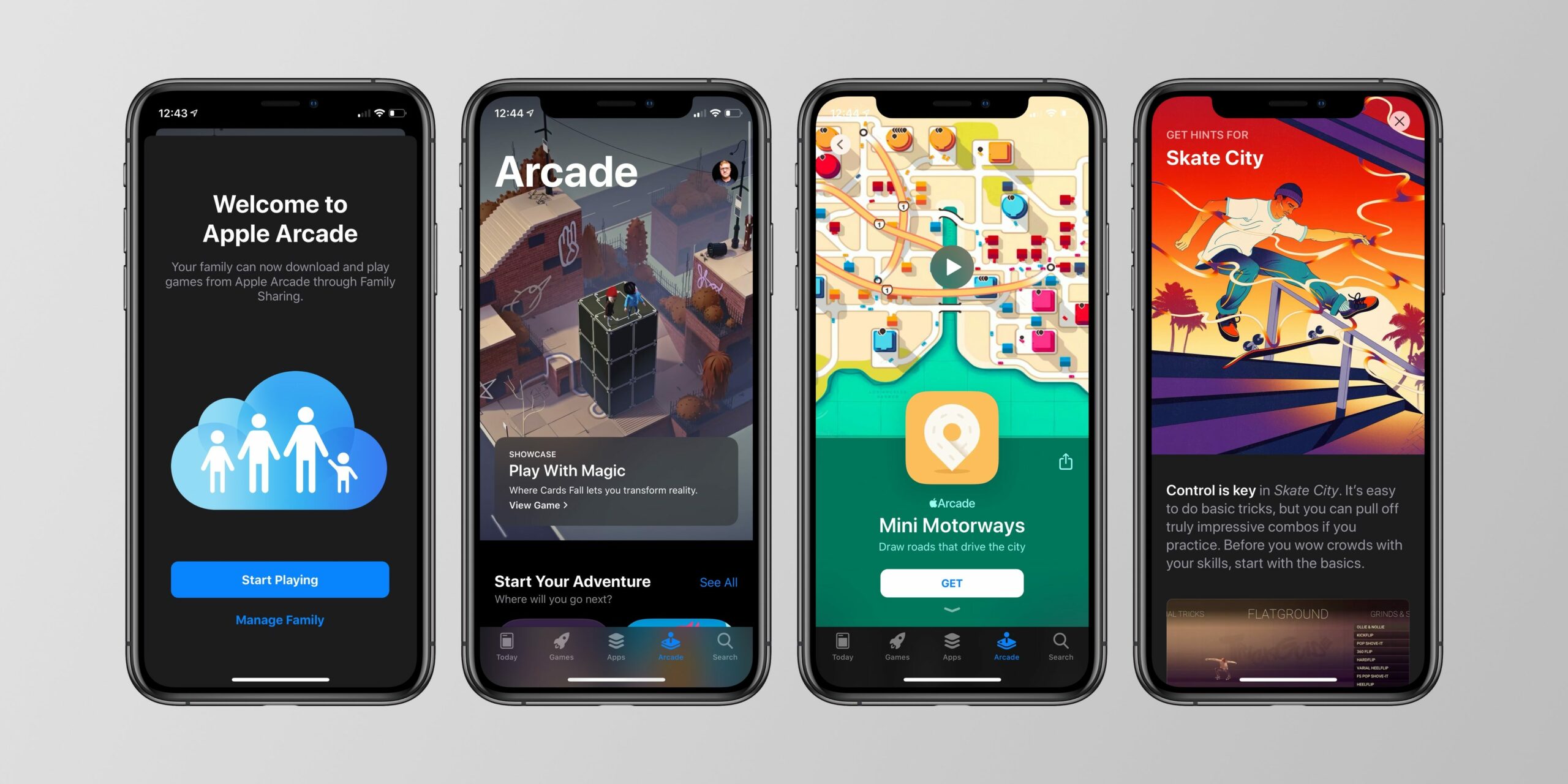
Apple Arcade, which was first introduced not so long ago in 2019, is a video game subscription service available across several Apple platforms, including Mac, iPhone, iPad, and Apple TV. It offers more than 180 games with no ads and/or in-app purchases.

You might also like

How to Get Hellfire Torch in Diablo 4

How To Make Steel In RuneScape: Dragonwilds

How To Get The Witcher 3: Wild Hunt Remastered

A subscription to Apple Arcade is available both separately or as part of a subscription to Apple One. Both of these options include access for members of Apple Family Sharing.
Source: https://9to5mac.com/2019/09/16/apple-arcade-live/

Signing up 


  1. If you are not already a subscriber of Apple Arcade, you can become one in the Mac App Store app. To subscribe, click on the Mac App Store app on your computer’s app store, then choose ‘Arcade’ from the sidebar.
  2. Click on the ‘Try for Free’ option, then follow the additional directions on the screen, which include signing into your Apple ID.

Keep note that not every game that is available on Apple Arcade game is available on Mac, but a majority of them are. New games and content updates are constantly being added to Apple Arcade each week. You will be able to preview all of these upcoming releases under the Coming Soon section that can be found across the various platforms.

Apple also keeps an updated list of all the games that are exclusive to iPhones and iPads on its website. You can find the list here.

Several Apple Arcade games are inclusive of controller support. These games feature a controller icon on their product page and thumbnail on the Mac App Store.

Finding Apple Arcade content on Mac

  1. In order to find new content to play on Apple Arcade on Mac, head to the Mac App Store app, and then choose ‘Arcade’ from the sidebar.
  2. The section is further divided into different subsections. These include categories such as ‘New Games’, ‘Most Popular’, ‘Categories’, ‘Must-Play Games’, ‘Collections’, and ‘Recently Updated’. At the bottom of the Apple Arcade page, you should be able to find a link to every current game available on Mac.  Alternatively, if you want, you can also use the Mac App Store search bar to find some games.
  3. To read and know more about a game on Apple Arcade, click on it. If you want to download a game, click on ‘Get,’ which is written next to the title of the game.

Playing games on Apple Arcade 


  1. Like other applications on your computer, the downloaded games are can be found in the Applications folder. To open the app, click app ‘Finder’ on the dock.
  2. Click on ‘Go’ from the menu bar, and then choose ‘Applications’.
  3. Click on the game that you would like to begin playing.
  4. The directions will appear on the screen. Follow them to begin the gameplay.

Keep in mind that games on Apple Arcade can be played even without an active Internet or data connection, and you can delete the downloaded games from your Mac at any time you want.


Tags: AppleApple ArcadeiPadiPhoneMac
Tweet54SendShare15
Previous Post

Tesla Cybertruck to have rear wheel steering for tight turns & maneuverability

Next Post

How to turn off your iPhone

Arya Roy

Hi, this is Arya! Writing has always been a passion of mine, regardless of the topic I choose. Besides that, I am a huge foodie and music lover, whose interests range from world politics to horror films to everything in between.

Recommended For You

How to Get Hellfire Torch in Diablo 4

by Khilav Jadav
September 29, 2026
0
How to Get the Deathmask of Nirmitruq in Diablo 4

The Hellfire Torch is a sought-after hidden reward in Diablo IV Season 15. This Mythic Unique Charm is tied to a secret journey through Tristram and a difficult...

Read more

How To Make Steel In RuneScape: Dragonwilds

by Khilav Jadav
September 29, 2026
0
How to Get Greater Runes in Path of Exile 2

Steel is one of the most useful mid-game materials in RuneScape: Dragonwilds. It is needed for stronger weapons, armour, and tools, but you cannot make it in the...

Read more

How To Get The Witcher 3: Wild Hunt Remastered

by Khilav Jadav
September 29, 2026
0
How to Repair Your Sword and Other Weapons in The Witcher 3

The Witcher 3: Wild Hunt Remastered is now available, giving players a refreshed way to experience Geralt of Rivia’s massive open-world adventure. Released on September 29, 2026, the...

Read more
Next Post
How to turn off your iPhone

How to turn off your iPhone

Please login to join discussion

Techstory

Tech and Business News from around the world. Follow along for latest in the world of Tech, AI, Crypto, EVs, Business Personalities and more.
reach us at info@techstory.in

Advertise With Us

Reach out at - info@techstory.in

Aviator Game India 2026

BROWSE BY TAG

#Crypto #howto 2024 acquisition AI amazon Apple Artificial Intelligence bitcoin Business China cryptocurrency e-commerce electric vehicles Elon Musk Ethereum facebook funding Gaming Google India Instagram Investment iPhone IPO Market Markets Meta Microsoft News OpenAI samsung Social Media SpaceX startup startups tech Tech news technology Tesla TikTok trend trending twitter US

© 2025 Techstory.in

No Result
View All Result
  • News
  • Crypto
  • Gadgets
  • Memes
  • Gaming
  • Cars
  • AI
  • Startups
  • Markets
  • How to

© 2025 Techstory.in

Welcome Back!

Login to your account below

Forgotten Password?

Retrieve your password

Please enter your username or email address to reset your password.

Log In
Are you sure want to unlock this post?
Unlock left : 0
Are you sure want to cancel subscription?