• Send Us A Tip
  • Calling all Tech Writers
  • Advertise
Tuesday, July 7, 2026
  • Login
TechStory
  • News
  • Crypto
  • Gadgets
  • Memes
  • Gaming
  • Cars
  • AI
  • Startups
  • Markets
  • How to
No Result
View All Result
  • News
  • Crypto
  • Gadgets
  • Memes
  • Gaming
  • Cars
  • AI
  • Startups
  • Markets
  • How to
No Result
View All Result
TechStory
No Result
View All Result
Home Gadgets

How to delete contacts on an iPhone

by Arya Roy
July 15, 2021
in Gadgets, How to, Tech
Reading Time: 2 mins read
0
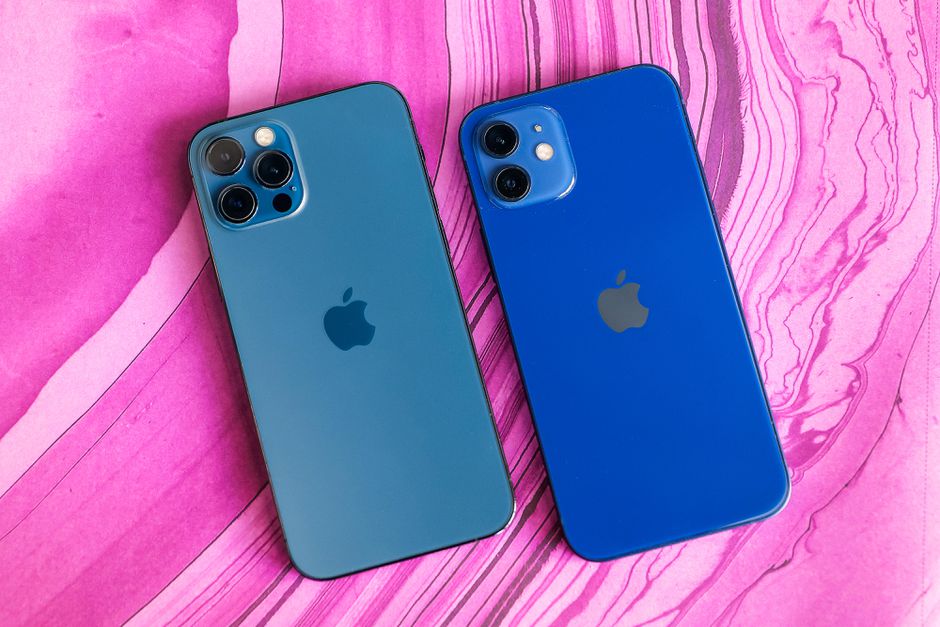
How to delete contacts on an iPhone

Source: https://www.cnet.com/tech/mobile/apple-iphone-12-review-5g-phone/

TwitterWhatsappLinkedin

People come and go in your life. Former partners, old friends, or someone that you promised to speak to again but never did, we do not stay in touch with everyone that we ever cross paths with.

You might also like

Front Row at Every Stadium: The OPPO Find X9 Ultra’s 200MP Zoom Revolution

Why Modern Headlights Are So Expensive to Replace

NPU vs GPU vs CPU Explained: Understanding the Brains Behind Modern Computers

Sometimes, the easiest and least awkward way to say goodbye is to simply remove those individuals from your virtual bubble, and fortunately, deleting contacts on your iPhone or iPad is a very easy process. Here is a guide on how you can do this.

Deleting a contact basically means that you are permanently deleting an individual’s contact details from a given device. However, you delete a contact from your email account, you will also permanently delete the contact from all devices signed into that email account, so make sure to keep that in mind before taking action.

From your iPhone home screen, go to the Contacts application to open up the list of individuals that are stored on your device.

Tap on the contact you want to delete, then press the Edit button, which can be found in the top right-hand corner of the screen. This will show you a list of customisation options for that contact, but you will have to scroll right down to the bottom to see the Delete Contact button.

Once you have tapped on it, the Delete Contact button will bring up a second button which will ask you to repeat the command. There is no need to worry, as this is nothing more than confirming that this is the action you would like to take. Tap on the button again so that the contact can be deleted from your contacts.
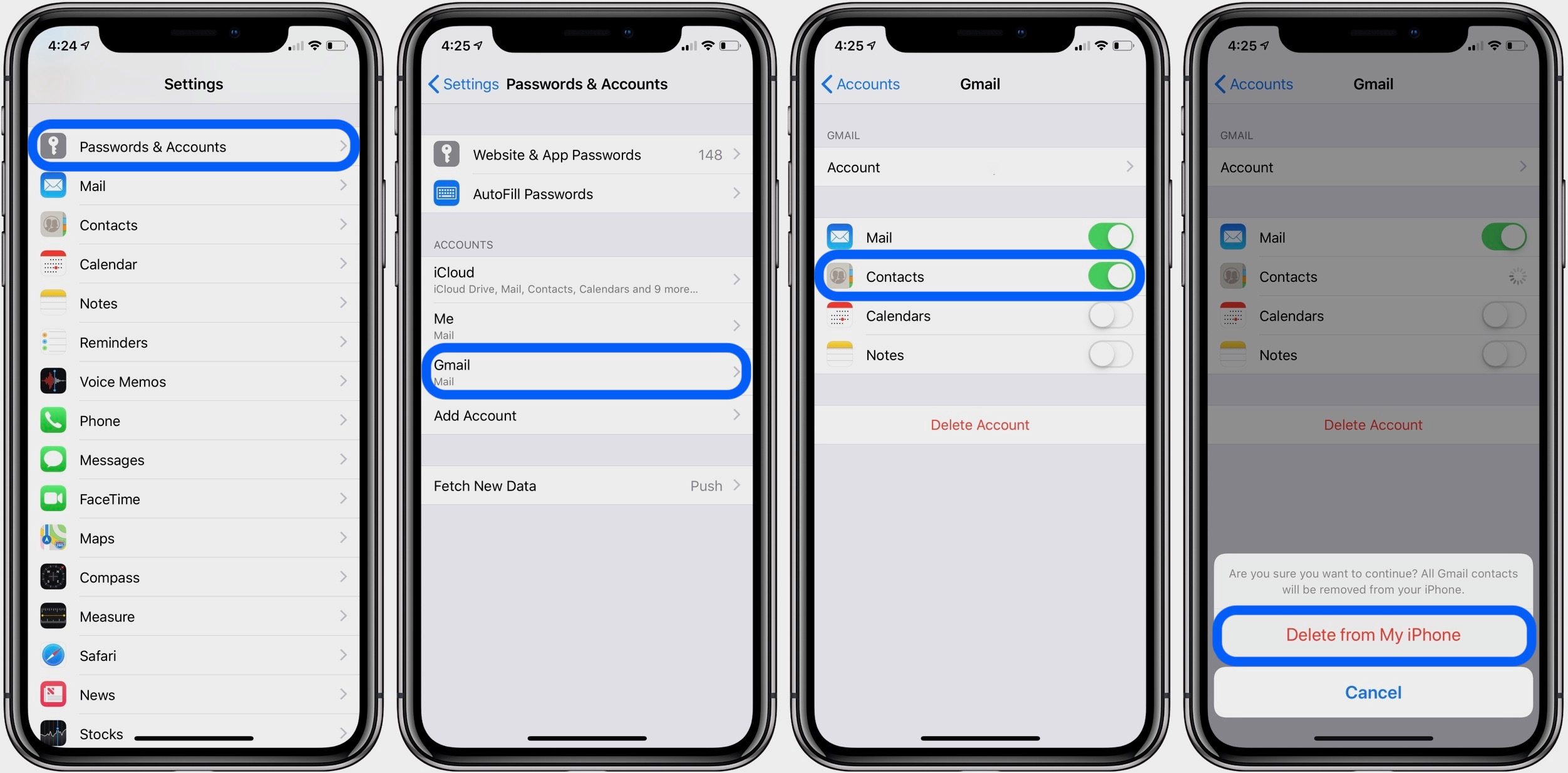
Source: https://9to5mac.com/2018/10/04/delete-iphone-contacts/

You should make a note for yourself that you can re-add any contact, any time after deleting, just in case someone manages to find their way back into your life.


Tags: iPhone
Tweet54SendShare15
Previous Post

How to use the iPhone flashlight

Next Post

Teaser reveals material & tech behind ZTE Axon 30’s under display camera tech

Arya Roy

Hi, this is Arya! Writing has always been a passion of mine, regardless of the topic I choose. Besides that, I am a huge foodie and music lover, whose interests range from world politics to horror films to everything in between.

Recommended For You

Front Row at Every Stadium: The OPPO Find X9 Ultra’s 200MP Zoom Revolution

by Rohan Mathawan
July 7, 2026
0
Front Row at Every Stadium: The OPPO Find X9 Ultra’s 200MP Zoom Revolution

The OPPO Find X9 Ultra landed in India on May 21, 2026, joining the Find X9 series as the flagship above the Find X9 and Find X9s. OPPO...

Read more

Why Modern Headlights Are So Expensive to Replace

by Samir Gautam
July 6, 2026
0
Modern Headlight Replacement Costs

There was a time when replacing a broken headlight was one of the simplest and cheapest repairs a car owner could face. A trip to the local auto...

Read more

NPU vs GPU vs CPU Explained: Understanding the Brains Behind Modern Computers

by Ishaan Negi
July 6, 2026
0
NPU vs GPU vs CPU Explained: Understanding the Brains Behind Modern Computers

For years, buying a laptop or desktop was simple. You checked the processor, looked at the amount of RAM, maybe considered storage, and made your decision. The CPU...

Read more
Next Post
Teaser reveals material & tech behind ZTE Axon 30's under display camera tech

Teaser reveals material & tech behind ZTE Axon 30's under display camera tech

Please login to join discussion

Techstory

Tech and Business News from around the world. Follow along for latest in the world of Tech, AI, Crypto, EVs, Business Personalities and more.
reach us at info@techstory.in

Advertise With Us

Reach out at - info@techstory.in

Aviator Game India 2026

BROWSE BY TAG

#Crypto #howto 2024 acquisition AI amazon Apple Artificial Intelligence bitcoin Business China cryptocurrency e-commerce electric vehicles Elon Musk Ethereum facebook funding Gaming Google India Instagram Investment ios iPhone IPO Market Markets Meta Microsoft News OpenAI samsung Social Media SpaceX startup startups tech technology Tesla TikTok trend trending twitter US

© 2025 Techstory.in

No Result
View All Result
  • News
  • Crypto
  • Gadgets
  • Memes
  • Gaming
  • Cars
  • AI
  • Startups
  • Markets
  • How to

© 2025 Techstory.in

Welcome Back!

Login to your account below

Forgotten Password?

Retrieve your password

Please enter your username or email address to reset your password.

Log In
Are you sure want to unlock this post?
Unlock left : 0
Are you sure want to cancel subscription?