• Send Us A Tip
  • Calling all Tech Writers
  • Advertise
Saturday, July 11, 2026
  • Login
TechStory
  • News
  • Crypto
  • Gadgets
  • Memes
  • Gaming
  • Cars
  • AI
  • Startups
  • Markets
  • How to
No Result
View All Result
  • News
  • Crypto
  • Gadgets
  • Memes
  • Gaming
  • Cars
  • AI
  • Startups
  • Markets
  • How to
No Result
View All Result
TechStory
No Result
View All Result
Home How to

Close your Airtel Payments Bank Account online

by Keziah George
July 28, 2021
in How to, Mobile, Other
Reading Time: 3 mins read
0
Qin1 bags undisclosed funding in Pre-Series A round from Venture Catalysts
TwitterWhatsappLinkedin

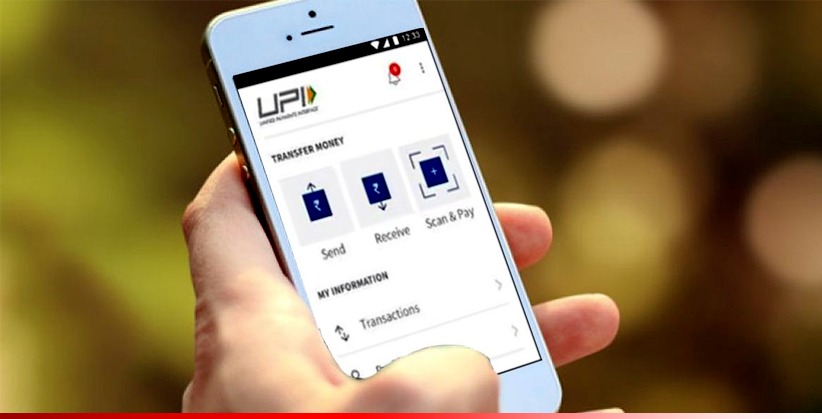
Airtel Payments Bank Account is a subsidiary of Bharti Airtel, India’s first payments bank. Airtel’s payment bank helps with mobile and bill payments all you need is to link your savings account or create a wallet on the platform. The platform works like any other payment apps you will need a unique UPI ID to get started. Pay your bills, Electricity bill, gas bill, money transfer, Self recharge, water bill Pay, and more. The interface allows you to send money and receive money to your Airtel payments bank account. There is an upper limit of Rs 1lac in the payments wallet. If you happen to want your account for whatever reason you submit your account closure request online. To know how to close your account follow the steps mentioned.
You might also like

How to breed Carillong on Magical Sanctum?

How to speed up an old Android phone?

How to improve the accuracy of a GPS?


‘Airtel Safe Pay’ – The Safest Way To Pay!

With #AirtelSafePay, no money leaves your account without your approval. It works only with #AirtelPaymentsBank account linked with your Airtel mobile number.

Download #airtelThanks app today! pic.twitter.com/WIqm0jDWxl

— Airtel Payments Bank (@airtelbank) January 21, 2021

Transfer money at any time of the day with just a few clicks using #BHIMUPI with #AirtelPaymentsBank.
Download the #airtelThanks app today! #PaymentsSoSimple pic.twitter.com/TF1OzhjhHD

— Airtel Payments Bank (@airtelbank) July 28, 2021

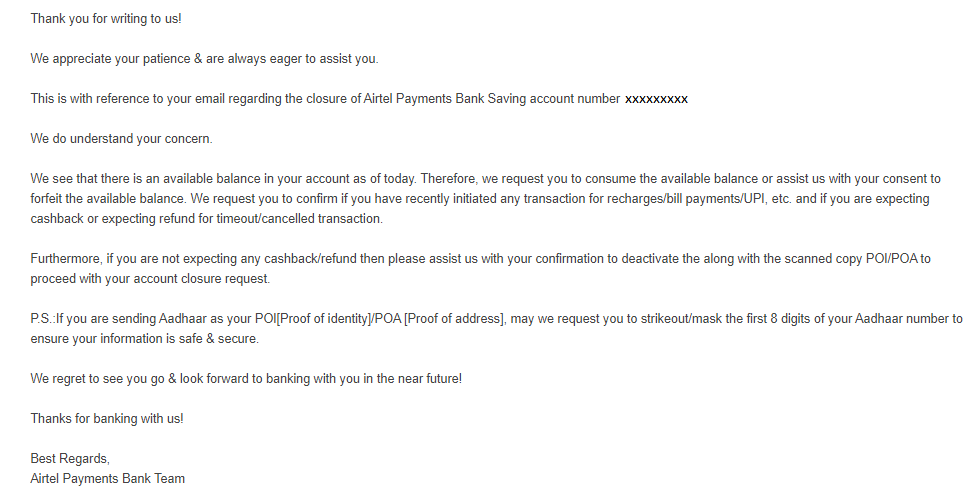
How to close your Airtel Payments Bank Account

  1. Send an email to Airtel Payment Bank customer care using the email address mentioned that you want to close your account: wecare@airtelbank.com
  2. An executive will write you back asking for a confirmation, you will have to provide proof of address & proof of ID and you can submit your Aadhar card number via email.
  3. After sending all the necessary documents you will receive an email confirming the same, stating account closure.

Make sure you withdraw all the money from your account wallet, receive cashback, and close all payments before you have initiated the process of closing your payment account.

If you want to close your account by SMS then dial *400 to initiate the process. If you are a non-Airtel sim cardholder and have an Airtel payments bank account on your mobile phone then you dial this number 8800688006. Close your account from the number in which you registered by calling the mentioned number.

Transfer money at any time of the day with just a few clicks using #BHIMUPI with #AirtelPaymentsBank.
Download the #airtelThanks app today! #PaymentsSoSimple pic.twitter.com/TF1OzhjhHD

— Airtel Payments Bank (@airtelbank) July 28, 2021

For more information on how to close your Airtel payment bank account visit the website, click here.

Tags: Airtel Payments BankHow toUPI payment
Tweet69SendShare19
Previous Post

US based Bitcoin Miner files for $100 million IPO: Stronghold

Next Post

Steps on how to get your unique UPI ID

Keziah George

Recommended For You

How to breed Carillong on Magical Sanctum?

by Afeefa Ansari
July 11, 2026
0
Carillong

Do you want to breed Carillong on Magical Sanctum? Follow the guide to know how you can do that in a few simple steps. This is a monster...

Read more

How to speed up an old Android phone?

by Afeefa Ansari
July 10, 2026
0
Android

Is your old Android phone giving you a hard time? It happens. But don't worry, we've got your back. Follow the guide to learn some magical ways that...

Read more

How to improve the accuracy of a GPS?

by Afeefa Ansari
July 10, 2026
0
GPS

You use GPS, but don't know how accurate it is? We've all been there. But there are still some ways that can help us improve that accuracy tenfold....

Read more
Next Post
UPI

Steps on how to get your unique UPI ID

Please login to join discussion

Techstory

Tech and Business News from around the world. Follow along for latest in the world of Tech, AI, Crypto, EVs, Business Personalities and more.
reach us at info@techstory.in

Advertise With Us

Reach out at - info@techstory.in

Aviator Game India 2026

BROWSE BY TAG

#Crypto #howto 2024 acquisition AI amazon Apple Artificial Intelligence bitcoin Business China cryptocurrency e-commerce electric vehicles Elon Musk Ethereum facebook funding Gaming Google India Instagram Investment ios iPhone IPO Market Markets Meta Microsoft News OpenAI samsung Social Media SpaceX startup startups tech technology Tesla TikTok trend trending twitter US

© 2025 Techstory.in

No Result
View All Result
  • News
  • Crypto
  • Gadgets
  • Memes
  • Gaming
  • Cars
  • AI
  • Startups
  • Markets
  • How to

© 2025 Techstory.in

Welcome Back!

Login to your account below

Forgotten Password?

Retrieve your password

Please enter your username or email address to reset your password.

Log In
Are you sure want to unlock this post?
Unlock left : 0
Are you sure want to cancel subscription?