

• Send Us A Tip
  • Calling all Tech Writers
  • Advertise
Saturday, June 20, 2026
  • Login
TechStory
  • News
  • Crypto
  • Gadgets
  • Memes
  • Gaming
  • Cars
  • AI
  • Startups
  • Markets
  • How to
No Result
View All Result
  • News
  • Crypto
  • Gadgets
  • Memes
  • Gaming
  • Cars
  • AI
  • Startups
  • Markets
  • How to
No Result
View All Result
TechStory
No Result
View All Result
Home Entertainment

How to Get Methane Cartridges in The Planet Crafter

by Khilav Jadav
January 13, 2023
in Entertainment, Gaming, How to
Reading Time: 2 mins read
0
How to Get Methane Cartridges in The Planet Crafter

Credits - PlanetCrafterWiki

TwitterWhatsappLinkedin

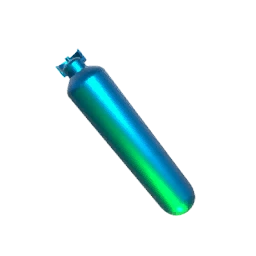
Methane Cartridges are an essential resource in The Planet Crafter, as they are used to fuel various machines and vehicles in the game. They can be obtained by using a gas extractor, which is a machine that is used to extract methane gas from the planet’s surface. In this article, we will discuss the steps to get Methane Cartridges by using a gas extractor in The Planet Crafter.
You might also like

How to pre-order GTA 6?

How To Get Galaxy Sprites In Fortnite

How To Connect AirPods To PS5

Credits – PlanetCrafterWiki

Build a Gas Extractor:

The first step in getting Methane Cartridges is to build a gas extractor. To do this, players will need to gather the necessary materials, which include  3x Super Alloy 2x Zeolite and 1x iridium rod. These materials can be obtained by mining the planet’s surface or by trading with other players. Once the materials are gathered, players can use their crafting bench to build the gas extractor.

Extract the Methane:

To extract the methane, players will need to place their gas extractor on top of the methane source. Once the extractor is in place, players can turn it on by clicking on the “Power” button. The gas extractor will then begin to extract the methane and will continue to do so until the source is depleted or the player turns off the extractor.

Once the methane has been extracted, players can collect the Methane Cartridges by opening the gas extractor’s inventory. The methane will be stored in the form of Cartridges which can be used as a fuel source for vehicles and machines in the game.

Repeat the process:

Once all the Methane Cartridges have been collected, players can repeat the process by finding another methane source and extracting more methane.

It’s important to note that the process of extracting methane can be dangerous, as there are various hazards on the planet’s surface that players will need to avoid. These hazards include hostile creatures, dangerous weather conditions, and unstable terrain. It’s essential to be prepared and equipped with the proper gear and weapons before attempting to extract methane.

Another thing to consider is that the gas extractor is not a cheap machine to build, it requires 3x Super Alloy 2x Zeolite and 1x iridium rod. Therefore, players should plan ahead and make sure they have enough resources to build the gas extractor before they start looking for a methane source.

In conclusion, getting Methane Cartridges by using a gas extractor in The Planet Crafter is a multi-step process that requires players to gather materials, build a gas extractor, locate a methane source, extract the methane, and collect the Methane Cartridges. It’s essential to be prepared and equipped with the proper gear and weapons before attempting to extract methane, and players should also be aware that the process can be dangerous and time-consuming. By following these steps, players can successfully obtain Methane Cartridges and use them as the Planet starts to become truly alive.


Tags: CraftingMethane The Planet CrafterThe Planet Crafter
Tweet58SendShare16
Previous Post

How to Complete the Cave Mission in Star Citizen

Next Post

Toyota showcased zero-emission versions of its 1980s sports range

Khilav Jadav

Content writer at Techstory Media with a passion for gaming and finance. Currently pursuing a degree in data science, exploring the latest gaming titles and analyzing financial trends.

Recommended For You

How to pre-order GTA 6?

by Afeefa Ansari
June 20, 2026
0
GTA 6

Waiting for GTA 6? Here is how you can pre-order the game and keep it with you to play as soon as you want! Let us see when's...

Read more

How To Get Galaxy Sprites In Fortnite

by Khilav Jadav
June 19, 2026
0
How To Archive Items in Fortnite

Galaxy Sprites are among the rarest collectibles in Fortnite, and many players are trying to add these cosmic companions to their collection. Introduced during Chapter 7 Season 3,...

Read more

How To Connect AirPods To PS5

by Khilav Jadav
June 19, 2026
0
How To Refund a Game on PS5

Apple AirPods are among the most popular wireless earbuds available today. Many PlayStation 5 owners naturally want to use them while gaming. However, connecting AirPods to the PlayStation...

Read more
Next Post
Back to the future: Toyota sets sights on old-car upgrades in zero-emissions drive

Toyota showcased zero-emission versions of its 1980s sports range

Please login to join discussion

Techstory

Tech and Business News from around the world. Follow along for latest in the world of Tech, AI, Crypto, EVs, Business Personalities and more.
reach us at info@techstory.in

Advertise With Us

Reach out at - info@techstory.in

Aviator Game India 2026

BROWSE BY TAG

#Crypto #howto 2024 acquisition AI amazon Apple Artificial Intelligence bitcoin Business China cryptocurrency e-commerce electric vehicles Elon Musk Ethereum facebook funding Gaming Google India Instagram Investment ios iPhone IPO Market Markets Meta Microsoft News OpenAI samsung Social Media SpaceX startup startups tech technology Tesla TikTok trend trending twitter US

© 2025 Techstory.in

No Result
View All Result
  • News
  • Crypto
  • Gadgets
  • Memes
  • Gaming
  • Cars
  • AI
  • Startups
  • Markets
  • How to

© 2025 Techstory.in

Welcome Back!

Login to your account below

Forgotten Password?

Retrieve your password

Please enter your username or email address to reset your password.

Log In
Are you sure want to unlock this post?
Unlock left : 0
Are you sure want to cancel subscription?