• Send Us A Tip
  • Calling all Tech Writers
  • Advertise
Monday, June 22, 2026
  • Login
TechStory
  • News
  • Crypto
  • Gadgets
  • Memes
  • Gaming
  • Cars
  • AI
  • Startups
  • Markets
  • How to
No Result
View All Result
  • News
  • Crypto
  • Gadgets
  • Memes
  • Gaming
  • Cars
  • AI
  • Startups
  • Markets
  • How to
No Result
View All Result
TechStory
No Result
View All Result
Home How to

How to limit screen time on iPhone?

by Chhavideep Singh
August 6, 2022 - Updated On August 8, 2022
in How to
Reading Time: 2 mins read
0
Screen Time

Credits: MacRumors

TwitterWhatsappLinkedin
Screen Time
Credits:
MacRumors

iPhones are the most popular smartphones on the planet, and it is created in a way that people love using it and owning it and even holding it in their hands. It gives them a sense of pleasure most of the times but what it does take from them is the sense of time sensitivity. The social media influence and every different type of content which is out there, the games, the entertainment and even the work has basically taken over our lives, and we pay so little attention to the details when it comes to this.

You might also like

How to cancel a 24 Hour Fitness Membership?

How to transfer an e-SIM to a new phone?

How to freeze your credit for free?

There are people who are addicted to their iPhones and smartphones in general. The kids of this generation are barely interested in going out and playing with their friends. They are more interested in playing games on their smartphones and their excuse is that they are playing multiplayer with their friends. Hours pass by and people are hooked to their iPhones watching Reels, scrolling through Instagram, watching Netflix, YouTube etc.

According to research in 2021, the peak of the COVID-19 lockdown, the smartphone usage was increased significantly throughout the world because people needed something to pass their time. Parents have been complaining to the companies that their children are hooked to their smartphones and stuff like that.

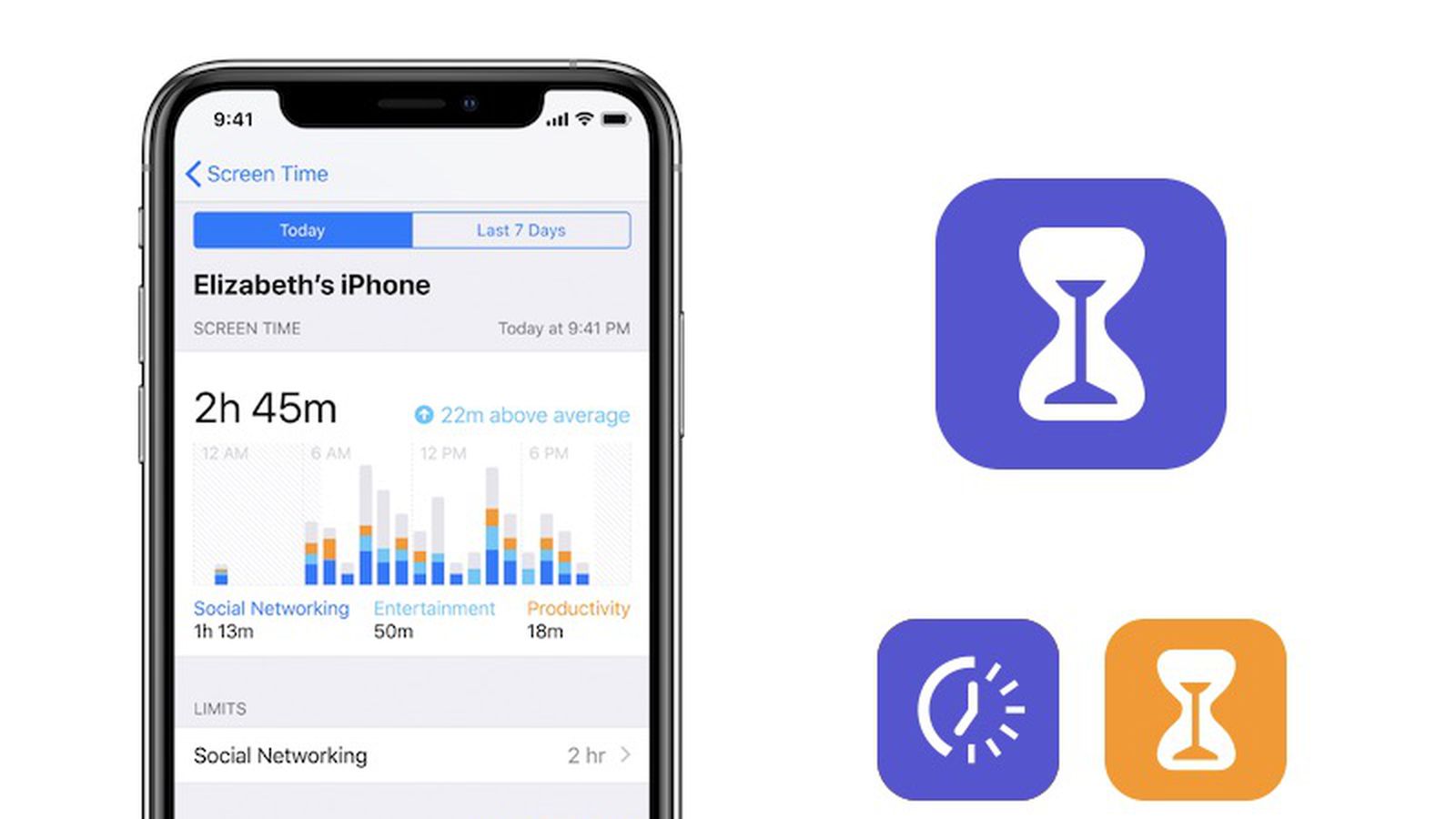
Companies like Apple has introduced a feature on their iPhone called “Screen Time” that lates you have an insight of where you spend the most time. This feature comes with an intention that people realise how much time they spend on social media and games and which apps exactly, and improve on them using these insights.

Users who wish to spend less time on their social media or games can also set up Screen Time on iPhone to limit their use.

How to limit screen time on iPhone?

  1. Unlock your iPhone.
  2. Go to Settings.
  3. Go to Screen Time and turn it on.
  4. Click on Downtime, turn on Downtime.
  5. Select days or customise days, the set the start and end times.

You can also set limits for app use.

  1. Go to Settings > Screen Time > Turn on.
  2. Click on App Limits > add limit.
  3. Select apps or app categories
  4. Click on Next and set the time allowed.
  5. When you set up limits, click on Add.

So, if you have set Screen Limit for social media apps, it will show you a notification after the limit of usage exceeds telling you to basically close the apps.

Isn’t this useful for someone who think they are addicted and say that time went so fast just looking at a few reels.

 

Tags: iPhone. Screen Time
Tweet54SendShare15
Previous Post

How to see who favourited your TikTok?

Next Post

How to port BSNL to JIO?

Chhavideep Singh

Hi! I'm Chhavideep, If you like reading about technology, business and start-ups, you've come to the right place. Catch me: chhavideep@connasys.com

Recommended For You

How to cancel a 24 Hour Fitness Membership?

by Afeefa Ansari
June 22, 2026
0
24 Hour Fitness

Want to take a break from the gym? It's alright, we've got you. Follow the guide to know how you can cancel the 24 Hour fitness membership and...

Read more

How to transfer an e-SIM to a new phone?

by Afeefa Ansari
June 22, 2026
0
ESIM

Do you have an e-SIM you want to transfer to a new phone? Here is how you can do that! Follow the guide to know how you can...

Read more

How to freeze your credit for free?

by Afeefa Ansari
June 22, 2026
0
Freeze credit

Do you want to freeze your credit for free? Here is how you can do it in no time at all! It is a simple process that lets...

Read more
Next Post
BSNL to JIO

How to port BSNL to JIO?

Please login to join discussion

Techstory

Tech and Business News from around the world. Follow along for latest in the world of Tech, AI, Crypto, EVs, Business Personalities and more.
reach us at info@techstory.in

Advertise With Us

Reach out at - info@techstory.in

Aviator Game India 2026

BROWSE BY TAG

#Crypto #howto 2024 acquisition AI amazon Apple Artificial Intelligence bitcoin Business China cryptocurrency e-commerce electric vehicles Elon Musk Ethereum facebook funding Gaming Google India Instagram Investment ios iPhone IPO Market Markets Meta Microsoft News OpenAI samsung Social Media SpaceX startup startups tech technology Tesla TikTok trend trending twitter US

© 2025 Techstory.in

No Result
View All Result
  • News
  • Crypto
  • Gadgets
  • Memes
  • Gaming
  • Cars
  • AI
  • Startups
  • Markets
  • How to

© 2025 Techstory.in

Welcome Back!

Login to your account below

Forgotten Password?

Retrieve your password

Please enter your username or email address to reset your password.

Log In
Are you sure want to unlock this post?
Unlock left : 0
Are you sure want to cancel subscription?