SD cards are small cards that may be used in a variety of devices such as phones, laptops, camcorders, and digital cameras. As a result, your SD card may become corrupt, rendering your important video data inaccessible. However, with the correct recovery tool, you may easily recover your SD card’s lost video files. Let us first explore the common scenarios for corruption and data loss in the section below before moving on to the solution.
SD cards can become corrupt for a variety of causes, rendering your data unusable. You can easily recover videos from a corrupted SD card using the Wondershare Repairit Video Recovery program. In just a few minutes, the software can recover numerous video file formats such as 3GP, MOV, MP4, XVID, AVI, FLV, and other media files from corrupted, damaged, or formatted SD cards.
What Happens When SD Card and Videos Corrupt?
Video files can be corrupted in a variety of ways, including virus attacks and system shutdown interruptions. This is why you must know what happens when video files become corrupted to avoid such situations in the future. Here’s what happens when videos are corrupted:
- Videos that have audio-video sync issues.
- Inaccessible video files
- An error notice such as “the video will not play”
- The video file could not be played due to a loading error.
Common Causes of SD Card Corruption
- Virus infection is the most common cause of SD card corruption, and once the card is infected, the data on it is lost.
- Improper file system conversion can cause SD card corruption, resulting in the loss of all video files stored on the card.
- SD card corruption is caused by abrupt removal, poor mounting, and connecting the SD card to incompatible file systems.
Although the reasons for SD card corruption and data loss described above are the most common, there are a variety of other factors that might result in SD card data loss. If you run into any of the above circumstances or any other scenario in which you lose your videos clips or other data from an SD card, you’ll need a dependable SD card recovery software for Windows.
Repair Corrupted Videos from SD Card
You’ll need dependable video restoration software to fix corrupted videos from an SD card. There is no quick fix for this. With its great features and functions, the Wondershare Repairit Video Repair Tool has transformed the way you restore corrupted video files. These video files can be easily repaired that were corrupted by the SD card problem. The nicest part about this program is that it works with a variety of video formats, including MOV, MP4, M2TS, MKV, and many others. You can easily use Wondershare Video Repair by following the instructions below:
Step 1: Add the corrupted video file into the program.
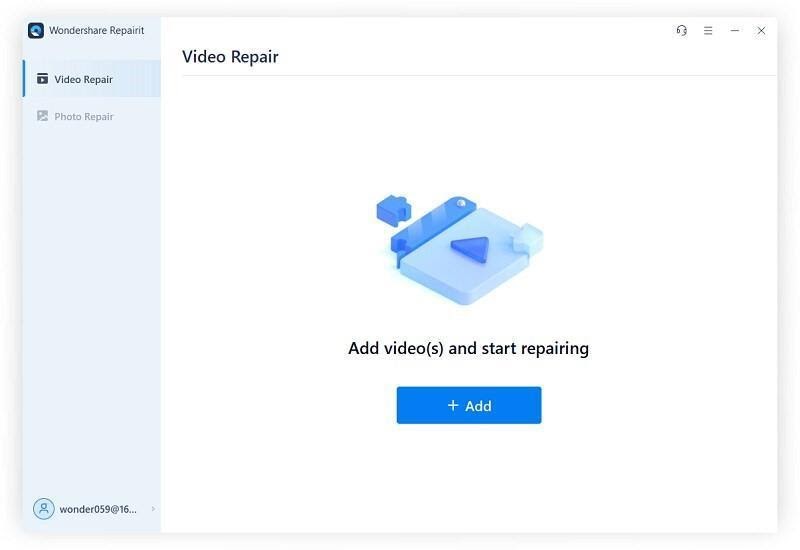
Connect your corrupted SD card to the Windows computer after downloading and installing it, then follow the steps to begin the recovery procedure. Download and install Wondershare Video Recovery for Mac on your MacBook. Then, on the home screen, click Add Corrupted Video. Now you can add the corrupted video files to the Drag and Drop Videos Here folder.
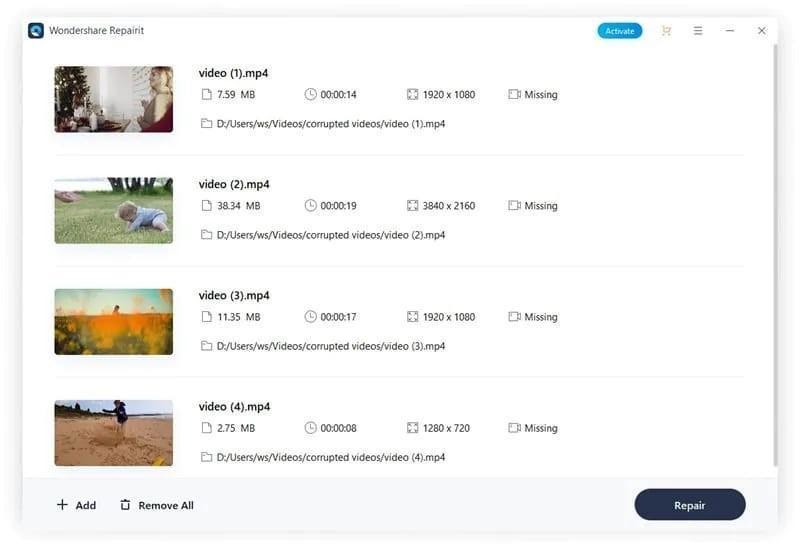
Step 2: Recover the video file that has been corrupted.
The repair program will begin the process of repairing your corrupted video file quickly.
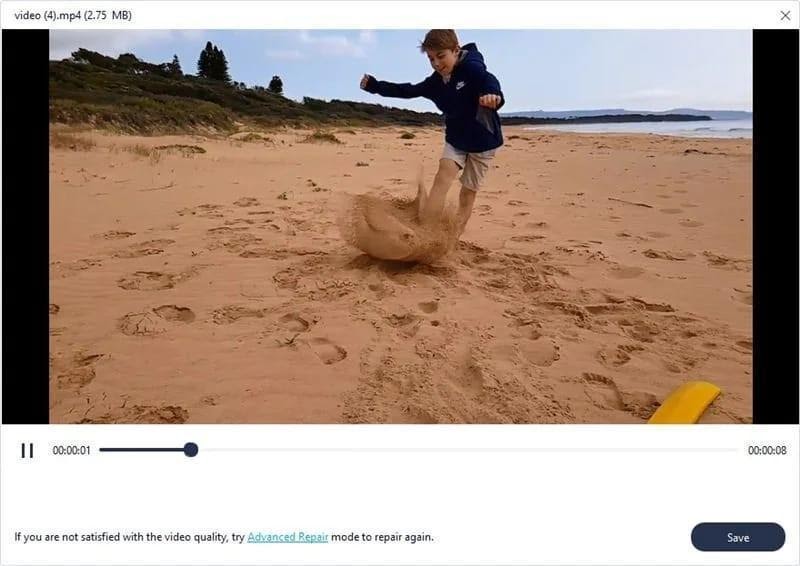
Step 3: Take a look at the videos that have been repaired.
You may preview the corrected video files before saving them using Wondershare Video Repair. If you’re happy with the results, click the OK button on the Preview and Save Now dialogue box.
How to use Protect SD Card and Video Files
With the growing popularity of paperless technology, most people are now storing their vital data on SD cards. Losing data, whether it’s video files, images, or anything else, is not an option. As a result, you should always try to avoid corrupting your SD card or video files.
- Don’t Let Your SD Card Get Corrupted
- Prevent your Video Files from Being Corrupted
- Always use an external device or in-camera formatting to format your SD card.
- Errors in video file transfers can be avoided by checking the integrity of the media source before proceeding.
SD cards are a handy way to store data files such as video files. However, if you don’t handle them correctly, you risk corrupting your valuable video data files. Fortunately, video data recovery software is available to assist you in recovering your corrupted video files. Try to use the best data recovery tool. It will ensure that the integrity of data is not affected. This is why the Wondershare Video Repair program is the best choice. It is the most effective SD card data recovery software for recovering lost films, photographs, and other essential files from an SD card.