• Send Us A Tip
  • Calling all Tech Writers
  • Advertise
Tuesday, July 14, 2026
  • Login
TechStory
  • News
  • Crypto
  • Gadgets
  • Memes
  • Gaming
  • Cars
  • AI
  • Startups
  • Markets
  • How to
No Result
View All Result
  • News
  • Crypto
  • Gadgets
  • Memes
  • Gaming
  • Cars
  • AI
  • Startups
  • Markets
  • How to
No Result
View All Result
TechStory
No Result
View All Result
Home How to

Alexa has more voice options you can choose from

by Keziah George
July 23, 2021 - Updated On July 24, 2021
in How to, Other, Tech
Reading Time: 4 mins read
0
How to change privacy settings on Alexa

Source: https://www.theverge.com/2021/1/25/22249044/amazon-alexa-update-proactive-hunches-guard-plus-subscription

TwitterWhatsappLinkedin

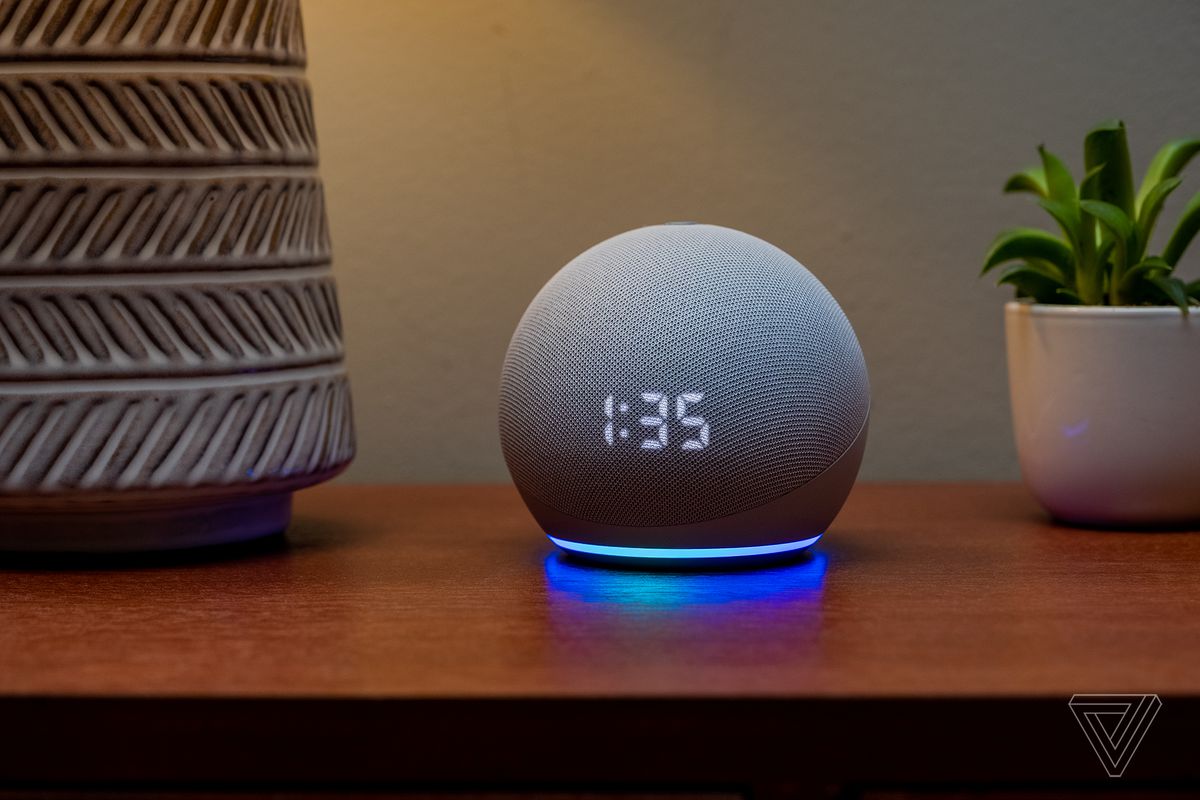
Amazon has released a  new more masculine voice along with celebrity voices Shaquille O’Neal, Mellissa McCarthy with its already existing Samuel L. Jackson. Alexa has had the same female voice since it was launched in 2013 but now you have the option to change her all too familiar voice. Ziggy is the new wake word for the masculine voice which might take a little getting used from what currently includes Alexa, Computer, Echo, and Amazon. The new celebrity voices work on specific phrases, jokes, and weather reports and cost $5 each. Though Amazon is pretty late to the game when it comes to different featured voice controls, better late than never. Here’s how to change Alexa’s voice to make it sound like your favorite celebrity, Read further to know how to activate the voice-controlled device.

You might also like

Why AI Search Is Replacing Traditional Search?

How To Get Hardwood In Palworld

How to speed up Windows without changing hardware?

Amazon Echo

How to Change Alexa’s Voice for iOS and Android

  1. Go to the Alexa app, click on Device’s placed on the bottom of your screen.
  2. Click on Echo & Alexa 
  3. Click on your device’s name
  4. Scroll through to Settings on the upper right corner of your screen
  5. Go to the General section and find Alexa’s voice
  6. Click on the New option

When changing the voice through your Echo

  1. Give the command, ‘Alexa, change your voice’
  2. If you have more than one device Alexa will ask you to specify
  3. Mention the name of the device you want the voice to be changed
  4. Alexa will respond with the changed voice when the process is done
  5. If the change was unsuccessful Alexa will say ‘Sorry, (your device) doesn’t support that.’

If you guessed @MelissaMcCarthy, you win! To activate Melissa’s voice on device, just say, “Alexa, introduce me to Melissa.”

— Alexa (@alexa99) July 16, 2021

When you want to change it to a celebrity’s voice

  1. Say the command ‘Alexa, introduce me to (celebrity’s name)’.
  2. Alexa will change the voice to the one you mentioned and go through the commands which will work with it.
  3. When you have paid for the voice through your amazon account and it is enabled just say ‘Hey, (celebrity’s name) to activate it. “Alexa, introduce me to Shaq,” or “Alexa, introduce me to Melissa” should help or you can manually enable each skill via Amazon’s website.

Nearly every person on Earth looks up to him. Can you guess who I’m sharing the mic with next? pic.twitter.com/71weD9oZtV

— Alexa (@alexa99) July 16, 2021

To know more about the commands and how they can be used click here.

 

Tags: Alexa DevicesAmazon Echo DotHow to
Tweet54SendShare15
Previous Post

Apple 13-inch MacBook Air featuring Mini LED display to launch in 2022

Next Post

How to Play Poker, Kahoot and Heads-up on Zoom

Keziah George

Recommended For You

Why AI Search Is Replacing Traditional Search?

by Sneha Singh
July 14, 2026
0
Why AI Search Is Replacing Traditional Search?

For over two decades, conventional search engines have defined how internet searches were performed. The user used to key in a couple of words and scan through a...

Read more

How To Get Hardwood In Palworld

by Khilav Jadav
July 14, 2026
0
How to Level Up Quickly in Palworld

Hardwood is one of the most useful crafting materials in Palworld, the open-world survival and monster-collecting game developed by Pocketpair. While regular Wood is easy to gather from...

Read more

How to speed up Windows without changing hardware?

by Afeefa Ansari
July 14, 2026
0
Windows

Is Windows feeling stuck? We've got your back. Here are a few things you can try to speed up the performance of your Windows on PC without having...

Read more
Next Post
How to record a meeting on Zoom

How to Play Poker, Kahoot and Heads-up on Zoom

Please login to join discussion

Techstory

Tech and Business News from around the world. Follow along for latest in the world of Tech, AI, Crypto, EVs, Business Personalities and more.
reach us at info@techstory.in

Advertise With Us

Reach out at - info@techstory.in

Aviator Game India 2026

BROWSE BY TAG

#Crypto #howto 2024 acquisition AI amazon Apple Artificial Intelligence bitcoin Business China cryptocurrency e-commerce electric vehicles Elon Musk Ethereum facebook funding Gaming Google India Instagram Investment ios iPhone IPO Market Markets Meta Microsoft News OpenAI samsung Social Media SpaceX startup startups tech technology Tesla TikTok trend trending twitter US

© 2025 Techstory.in

No Result
View All Result
  • News
  • Crypto
  • Gadgets
  • Memes
  • Gaming
  • Cars
  • AI
  • Startups
  • Markets
  • How to

© 2025 Techstory.in

Welcome Back!

Login to your account below

Forgotten Password?

Retrieve your password

Please enter your username or email address to reset your password.

Log In
Are you sure want to unlock this post?
Unlock left : 0
Are you sure want to cancel subscription?