• Send Us A Tip
  • Calling all Tech Writers
  • Advertise
Wednesday, July 22, 2026
  • Login
TechStory
  • News
  • Crypto
  • Gadgets
  • Memes
  • Gaming
  • Cars
  • AI
  • Startups
  • Markets
  • How to
No Result
View All Result
  • News
  • Crypto
  • Gadgets
  • Memes
  • Gaming
  • Cars
  • AI
  • Startups
  • Markets
  • How to
No Result
View All Result
TechStory
No Result
View All Result
Home How to

How to use Uber

by Arya Roy
July 26, 2021
in How to, Tech
Reading Time: 2 mins read
0
How to use Uber

Source: https://www.cnet.com/tech/mobile/uber-activates-pin-system-designed-to-reduce-sexual-assault-problems/

TwitterWhatsappLinkedin

When you open the Uber app, you will see several options at the top. For this guide, you will be shown how to book a ride.
You might also like

How to stop spam calls?

How to build an Emergency Fund?

How to cancel forgotten subscriptions?

Source: https://www.pocket-lint.com/cars/news/uber/156351-uber-green-launches-in-london-book-an-electric-vehicle-ride-in-zone-one

Adding a payment method

  1. Before you book a ride, make sure that you have entered a payment method into the app.
  2. To do this, tap on the menu icon in the upper left corner of the screen, and then tap on Wallet.
  3. Under the Payments Method section, make sure that an active payment method is listed or tap on Add Payment Method or Redeem Gift Card to add one.

Booking a ride 

  1. To book a ride, start by tapping on the Ride button or tapping on the Where to? field.
  2. If you would like, you can also choose to tap on the Now button in the Where to? field to schedule a ride for a pickup time in the future.
  3. Enter the address of your destination in the Where to? field. If you do not have an exact address, you can also tap on Select location on the map, which will let you drop a pin at your desired location.
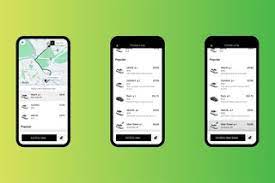
  4. Once you have entered a destination, Uber will offer you several different car options, each that fit a different number of people and come with different price tags.
  5. The typical options are UberX, Uber Black, and UberXL. UberX is usually the cheapest option. Uber Black is usually more expensive, because this ride will be in a premium car. UberXL features bigger cars, vans, and SUVs. Next to each option, you will see how many passengers can fit.
  6. You will notice that next to your current location on the map, it shows how long it will take from the car that you have selected to get to your location to pick you up.
  7. As you consider different car options, the waiting time changes accordingly. You will also notice under each car option is an expected drop-off time.
  8. Choose your desired car and tap on the Confirm button at the bottom of the screen. Uber may ask you to confirm your pickup spot again, so the driver is clear on where to find you.
  9. Once your pickup spot is set, tap on Confirm Pickup. Uber may also ask you to confirm your fare, especially if prices are high due to high demand at the moment.
  10. Uber will then match you to a driver and will show you their live location as they make their way to your pickup spot. If you ever need to contact the driver as they are navigating to your pickup spot, you can tap on the phone icon.

Tags: uber
Tweet54SendShare15
Previous Post

Byju’s acquires Great Learning and Toppr by spending $750Mn

Next Post

GM sues Ford over its ‘BlueCruise Control’ driving feature

Arya Roy

Hi, this is Arya! Writing has always been a passion of mine, regardless of the topic I choose. Besides that, I am a huge foodie and music lover, whose interests range from world politics to horror films to everything in between.

Recommended For You

How to stop spam calls?

by Afeefa Ansari
July 22, 2026
0
block-spam-calls

One with spam calls on your phone every day? What if it could be stopped altogether? It is possible! Follow the guide to learn how you can stop...

Read more

How to build an Emergency Fund?

by Afeefa Ansari
July 22, 2026
0
Emergency funds

Emergency funds can be really helpful! Whether it is something you are intending to buy and are short of cash, or you need to fund an immediate matter...

Read more

How to cancel forgotten subscriptions?

by Afeefa Ansari
July 22, 2026
0
Cancel subscriptions

Ever wondered why the autopay is deducting and for what? That happens. Let's learn how to cancel some subscriptions that we have long forgotten about! Follow the guide...

Read more
Next Post
Ford GM

GM sues Ford over its ‘BlueCruise Control’ driving feature

Please login to join discussion

Techstory

Tech and Business News from around the world. Follow along for latest in the world of Tech, AI, Crypto, EVs, Business Personalities and more.
reach us at info@techstory.in

Advertise With Us

Reach out at - info@techstory.in

Aviator Game India 2026

BROWSE BY TAG

#Crypto #howto 2024 acquisition AI amazon Apple Artificial Intelligence bitcoin Business China cryptocurrency e-commerce electric vehicles Elon Musk Ethereum facebook funding Gaming Google India Instagram Investment ios iPhone IPO Market Markets Meta Microsoft News OpenAI samsung Social Media SpaceX startup startups tech technology Tesla TikTok trend trending twitter US

© 2025 Techstory.in

No Result
View All Result
  • News
  • Crypto
  • Gadgets
  • Memes
  • Gaming
  • Cars
  • AI
  • Startups
  • Markets
  • How to

© 2025 Techstory.in

Welcome Back!

Login to your account below

Forgotten Password?

Retrieve your password

Please enter your username or email address to reset your password.

Log In
Are you sure want to unlock this post?
Unlock left : 0
Are you sure want to cancel subscription?