Usually android phones users eventually run into problems with their device’s battery. Batteries deteriorate in performance over time since they are perishable. They don’t hold as much charge after a few years as they did while they were newly purchased.

Here are some approaches to keep an eye on your Android battery’s health in order to keep it functioning efficiently for as long as possible.
Keeping an eye on Battery Usage
Regrettably, there is no built-in mechanism to monitor the status of your battery on Android. Android can, however, give some basic battery statistics in its settings, if you weren’t aware.
Go to Settings > Battery and on the top-right three-dot menu choose the Battery usage feature . You’ll notice a list of applications that have used the most battery on your smartphone since its last full charge on the ensuing Battery usage screen. Pick Show full device usage from the three-dot menu button to see usage from processes like the display as well as the OS.
While you won’t be able to control your battery health with this, you will be able to discover applications that consume too much power and limit their consumption. As a result, your battery’s capacity will be maintained for a longer period of time.
Use AccuBattery to check Battery Health
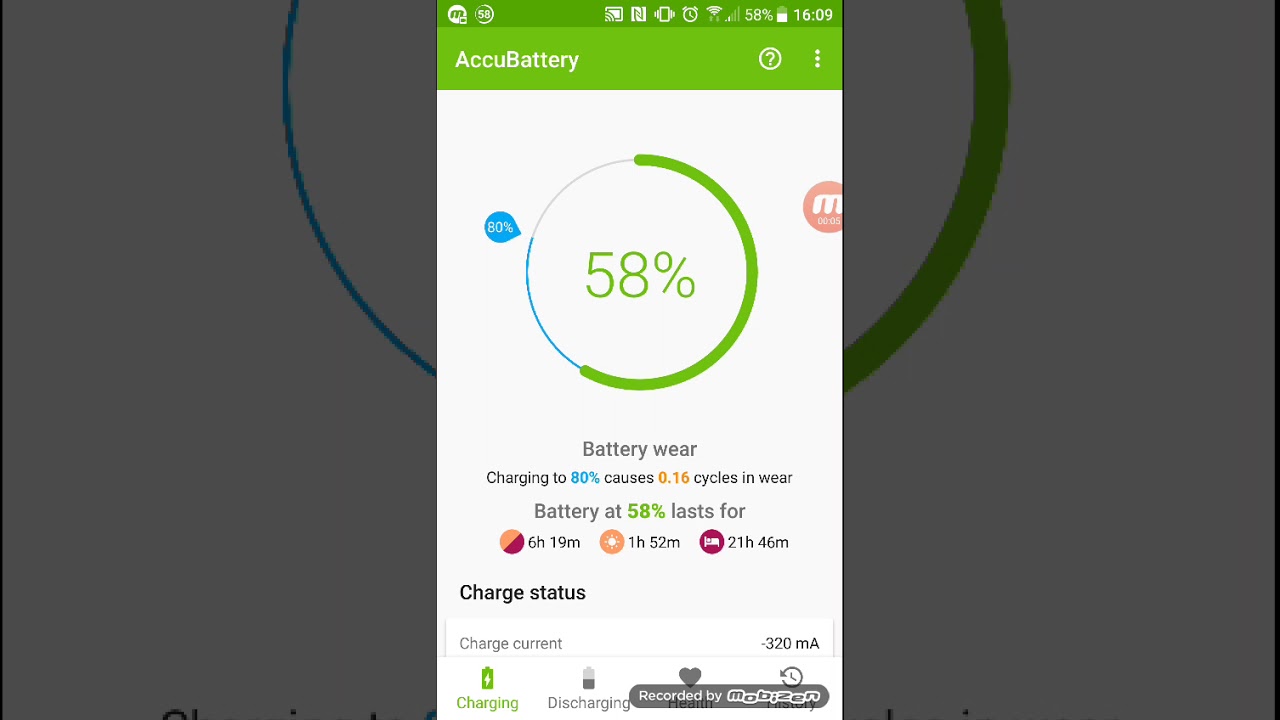
AccuBattery is among the top-rated apps for learning more about battery on your Android device. While it doesn’t give as much information as a root-only software, it’s the finest battery health monitor for non-rooted Android users. You’ll get an introductory screen with a few details about how AccuBattery works once you install it from Google Playstore.
The app’s main premise is that your phone battery has a certain number of charge cycles before its performance starts to decline. When the battery is fully discharged from 100 to zero percent, it is said to have completed a full cycle.
You could explore AccuBattery’s tabs after the initial setup, but they won’t contain much information. Because of the app’s nature, you’ll need to leave it installed and use your phone regularly for a time before you begin to receive meaningful information.
To begin, attempt to disconnect your phone when it reaches 80 percent charge. At this charge level, AccuBattery has an alarm that will activate. To change it, go to the Charging tab and move the blue slider to a new setting. This section will also show you how long it takes to charge your phone while it is plugged in. This can help you predict how long your phone will need to rest on the charger since it grows more accurate with time.
You’ll discover details on how your phone utilises power under the Discharging tab. It shows how much battery was used when your phone’s screen was on and off, as well as when it was in deep sleep (if you’re interested, learn more about Android’s Doze mode).
Make sure that the app has permission to access use statistics under App usage access. This provides you a better idea of which apps are draining your battery.
The Health tab compares the estimated capacity to the factory-designed capacity to determine battery health. This allows you to compare the amount of energy your battery stores on a full charge to how it was when it was totally new.
There’s also a Battery Wear Chart that indicates how much strain you’ve placed on the battery each day, allowing you to make adjustments as needed.
AccuBattery makes determining the health of your Android battery easier. While it isn’t comprehensive, it is a lot more than what Android provides on its own.