

• Send Us A Tip
  • Calling all Tech Writers
  • Advertise
Tuesday, June 23, 2026
  • Login
TechStory
  • News
  • Crypto
  • Gadgets
  • Memes
  • Gaming
  • Cars
  • AI
  • Startups
  • Markets
  • How to
No Result
View All Result
  • News
  • Crypto
  • Gadgets
  • Memes
  • Gaming
  • Cars
  • AI
  • Startups
  • Markets
  • How to
No Result
View All Result
TechStory
No Result
View All Result
Home How to

How To Download Or Get Aadhaar Card Without Registered Mobile Number?

by Srestha Roy
October 11, 2021
in How to
Reading Time: 2 mins read
0
How To Download Or Get Aadhaar Card Without Registered Mobile Number?
TwitterWhatsappLinkedin

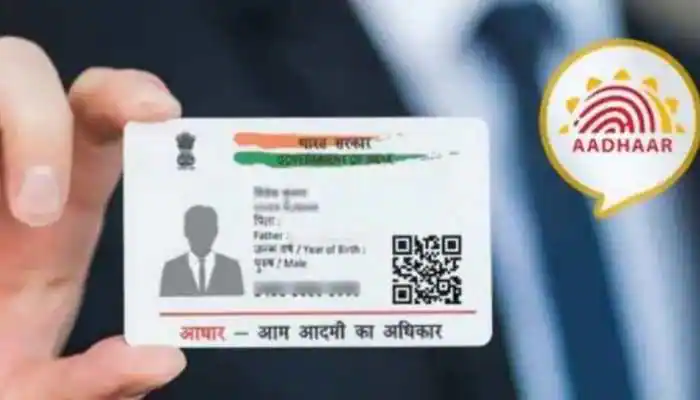
Citizens of India may now obtain their Aadhaar card without needing their registered cellphone number from the UIDAI’s official website. The Aadhaar issuing organisation, the Unique Identification Authority of India (UIDAI), has announced this to assist people who have not yet registered their number.
You might also like

How To Fix Joy-Con Drift

How To Summon Ahune in World of Warcraft: The Burning Crusade Classic

How To Get The Hellion Aspect In Destiny 2

Source – Zee News

The Indian government, as well as state governments, finance a variety of social welfare initiatives and programmes aimed at the impoverished and most vulnerable members of society. Aadhaar and its platform provide the government with a unique chance to simplify their benefit plan delivery mechanisms, assuring transparency and efficiency. By obviating the need to provide various documents to verify one’s identification, the use of Aadhaar as an identity document allows recipients to get their entitlements immediately in a convenient and seamless way.

After de-duplicating their demographic and biometric characteristics against the UIDAI’s complete database, citizens are given Aadhaar numbers. Seeding Aadhaar allows for the removal of duplication under various programmes, resulting in significant savings for the government. It also gives reliable data on recipients to the government and allows for the implementation of direct benefit transfer (DBT) programmes.

To download the Aadhaar, customers had to have a registered phone number that was connected to the Aadhaar. Continue reading to learn how to obtain an Aadhaar card over the internet.

  • Step 1: Go to the UIDAI’s official website and choose “My Aadhaar.”
  • Step 2: Select ‘Order Aadhaar Reprint’ from the drop-down menu.
  • Step 3: You will then be prompted to input your 12-digit Aadhaar number. Users can also provide a 16-digit Virtual Identification Number (VID) rather than their Aadhaar card number.
  • Step 4: When you’re finished, you’ll be prompted to input a security or captcha code.
  • Step 5: If you don’t want to use your registered mobile number to download the card, select the ‘My Mobile number is not registered’ option.
  • Step 6: After that, you’ll be prompted to input your alternate or unregistered phone number.
  • Step 7: Finally, press the ‘Send OTP’ button. The alternate number you just entered will then receive a One Time Password (OTP). Users will also be prompted to choose the ‘terms and conditions’ checkbox before pressing the’submit’ button.
  • Step 8: You will now be routed to a new website where you may ‘Preview Aadhaar Letter’ for additional verification before reprinting. After then, you must choose the ‘Payment’ option.

Keep your digital signature handy since you’ll need to submit it in order to get the PDF. An SMS will be sent with a Service Request Number. You can use that number to follow the status of your application till the Aadhaar letter arrives.


 

Tags: AadharAadhar CardGovt. of IndiaUIDAI
Tweet55SendShare15
Previous Post

Storj: Everything you need to know

Next Post

“Mechazilla” to catch Starships & Boosters almost ready to join launches

Srestha Roy

Recommended For You

How To Fix Joy-Con Drift

by Khilav Jadav
June 23, 2026
0
How To Use Bluetooth Headphones on Nintendo Switch

Joy-Con drift is one of the most common problems Nintendo Switch owners face. It happens when the analog stick starts registering movement even when you are not touching...

Read more

How To Summon Ahune in World of Warcraft: The Burning Crusade Classic

by Khilav Jadav
June 23, 2026
0
How To Get to Gnomeregan Horde in WoW Season of Discovery Phase 2

In World of Warcraft: The Burning Crusade Classic, Ahune is one of the most popular seasonal bosses. Known as the Frost Lord, he appears during the Midsummer Fire...

Read more

How To Get The Hellion Aspect In Destiny 2

by Khilav Jadav
June 22, 2026
0
How to Get Defiant Keys in Destiny 2

The Hellion Aspect is one of the most exciting additions introduced in Destiny 2 through The Final Shape expansion. Designed for Warlocks, this Solar Aspect gives players access...

Read more
Next Post
“Mechazilla” to catch Starships & Boosters almost ready to join launches

"Mechazilla" to catch Starships & Boosters almost ready to join launches

Please login to join discussion

Techstory

Tech and Business News from around the world. Follow along for latest in the world of Tech, AI, Crypto, EVs, Business Personalities and more.
reach us at info@techstory.in

Advertise With Us

Reach out at - info@techstory.in

Aviator Game India 2026

BROWSE BY TAG

#Crypto #howto 2024 acquisition AI amazon Apple Artificial Intelligence bitcoin Business China cryptocurrency e-commerce electric vehicles Elon Musk Ethereum facebook funding Gaming Google India Instagram Investment ios iPhone IPO Market Markets Meta Microsoft News OpenAI samsung Social Media SpaceX startup startups tech technology Tesla TikTok trend trending twitter US

© 2025 Techstory.in

No Result
View All Result
  • News
  • Crypto
  • Gadgets
  • Memes
  • Gaming
  • Cars
  • AI
  • Startups
  • Markets
  • How to

© 2025 Techstory.in

Welcome Back!

Login to your account below

Forgotten Password?

Retrieve your password

Please enter your username or email address to reset your password.

Log In
Are you sure want to unlock this post?
Unlock left : 0
Are you sure want to cancel subscription?
