

In 2017, Apple introduced Animoji, a feature that leverages Apple’s Face ID camera technology to map popular emoji characters to your face in real-time recordings, making them appear to imitate your facial expressions. In 2018, Apple released Memoji, an extension of that feature. Memoji allows you to build an avatar that monitors your facial movements in the same way as Animoji does, and they look like you.
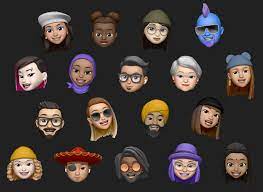
Memoji are Animoji that have been personalised. It’s practically Apple’s version of Snapchat’s Bitmoji or Samsung’s AR Emoji. These Animoji may be made to appear like you. You may witness the Memoji alter in real-time as you tweak the head shape, brows, and eye colour with Message’s built-in Memoji building tool.
Use the apps bar in Messages for iOS to edit or create a new Memoji.
- Tap the App Store icon in Messages if apps aren’t displayed.
- Select the Memoji icon from the drop-down menu.
- Scroll to the left until you see your current Memoji.
- In the lower-left corner, tap the three-dot menu.
- Choose Edit.
- Customize your Skin on the first tab. Select a tone or hue, add freckles, blush to your cheeks, and, if desired, a beauty spot. The preview at the top of the screen will refresh as you make changes. (Your Memoji will spin its head based on your motions in real life if you have an iPhone 7 or later. Use this tool to look at the Memoji from various perspectives.)
- After that, decide on a hairstyle. At the top, choose the colour you want, then navigate through the options to find the style you prefer.
- To modify your Brows, go to the next tab. This area allows you to choose not only the colour and shape of your brows, but also a forehead mark and piercings.
- After that, decide on your Eyes. You may also set an eyelash style and apply cosmetics in addition to shape and colour.
- The Head tab comes next, and it is divided into two pieces. You may pick how young or elderly you want to seem dependent on your age; the size of your head and the quantity of wrinkles will vary depending on your decision. Preset choices with varying cheek, chin, and jaw sizes may be found in the Shape section.
- Only two options are available on the Nose tab: one is to choose the size of your Memoji’s nose, and the other is to add an optional piercing.
- Choose the colour and form of your lips on the Mouth tab. Customize your teeth and add a selection of coloured lip and tongue piercings below that.
- The size is the most important option on the Ears page, but you can also add accessories like earrings, headphones that look like Apple’s AirPods Pro, and hearing aids. Choose Pair next to the Earrings or Audio heads for further customization choices, and then Mix and Match to add accessories to each ear individually.
- Select a sideburn length and then a moustache or beard colour and style on the Facial Hair tab.
- Finally, choose your headgear. To dress up your avatar, the Memoji customisation offers a variety of caps, head wraps, scarves, and helmets. You may also put a facial covering at the bottom.
- Once you’re satisfied with the appearance of your Memoji, choose Done to save your changes.



