
• Send Us A Tip
  • Calling all Tech Writers
  • Advertise
Sunday, July 12, 2026
  • Login
TechStory
  • News
  • Crypto
  • Gadgets
  • Memes
  • Gaming
  • Cars
  • AI
  • Startups
  • Markets
  • How to
No Result
View All Result
  • News
  • Crypto
  • Gadgets
  • Memes
  • Gaming
  • Cars
  • AI
  • Startups
  • Markets
  • How to
No Result
View All Result
TechStory
No Result
View All Result
Home How to

How to Secure your Telegram with Password in Android

by Amandeep Suter
February 6, 2021
in How to, Story, Tech
Reading Time: 3 mins read
0
Hide profile picture Telegram
TwitterWhatsappLinkedin

Welcome to another section of “How to” articles. We discuss simple issues and try to come up with even simpler solutions. WhatsApp’s privacy policy created massive havoc, and it led to many users transferring to a safer alternative like Telegram. 

You might also like

How to beat Mega Mewtwo X in Pokémon Go?

How to delete a TikTok account?

How to get Zeraora in Pokémon Go?

We have already discussed how Telegram is one of the most secure instant messaging apps and has several features like Secret chat and how you can use it or how you can edit a sent message. 

With all the features combined, Telegram is a great app messaging app. But what if I said, there is one more surprise for you? A feature that could add an extra player of protection to this app. Yes, it could make your Telegram even more secure. How?

By adding a password, FaceID, or fingerprint to your telegram. Here’s how you can secure your Telegram by creating a password on your Android. 

Securing your Telegram app

1. The first step is to open your Telegram app in your android 

2. Once you open the app, you will notice a hamburger icon on your screen’s top-left corner. Click on it.
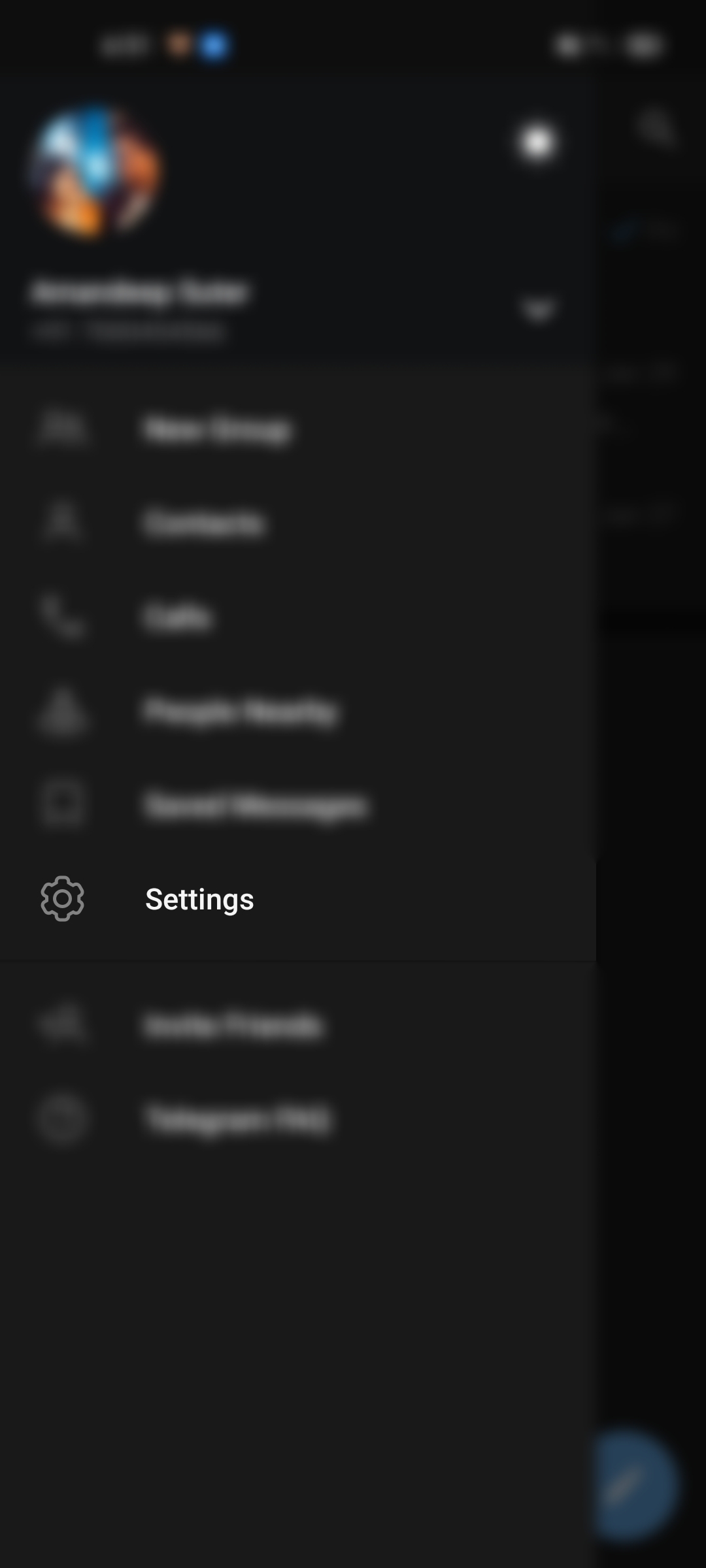
3. You will see various options such as contacts, your name, calls, and other options. Select the “Settings” option.

4. Now, select “Privacy & Security.”Secure Telegram Password

5. From the “Security” section, tap “Passcode Lock.”
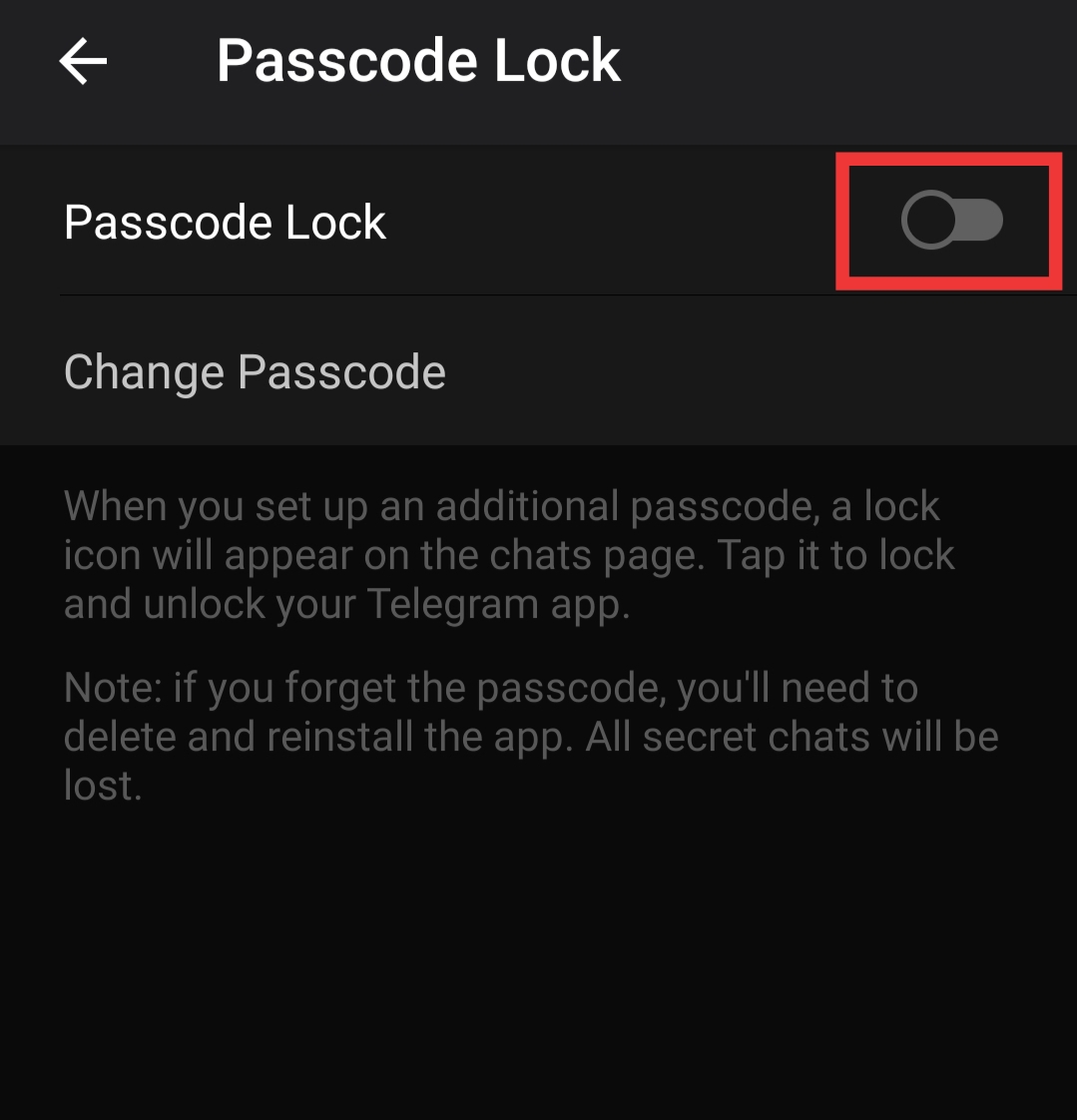
Slide it to activate the Passcode

6. Next, create a four-number numeric passcode. Then, please enter it again to save the passcode.

7. Your password is now active.

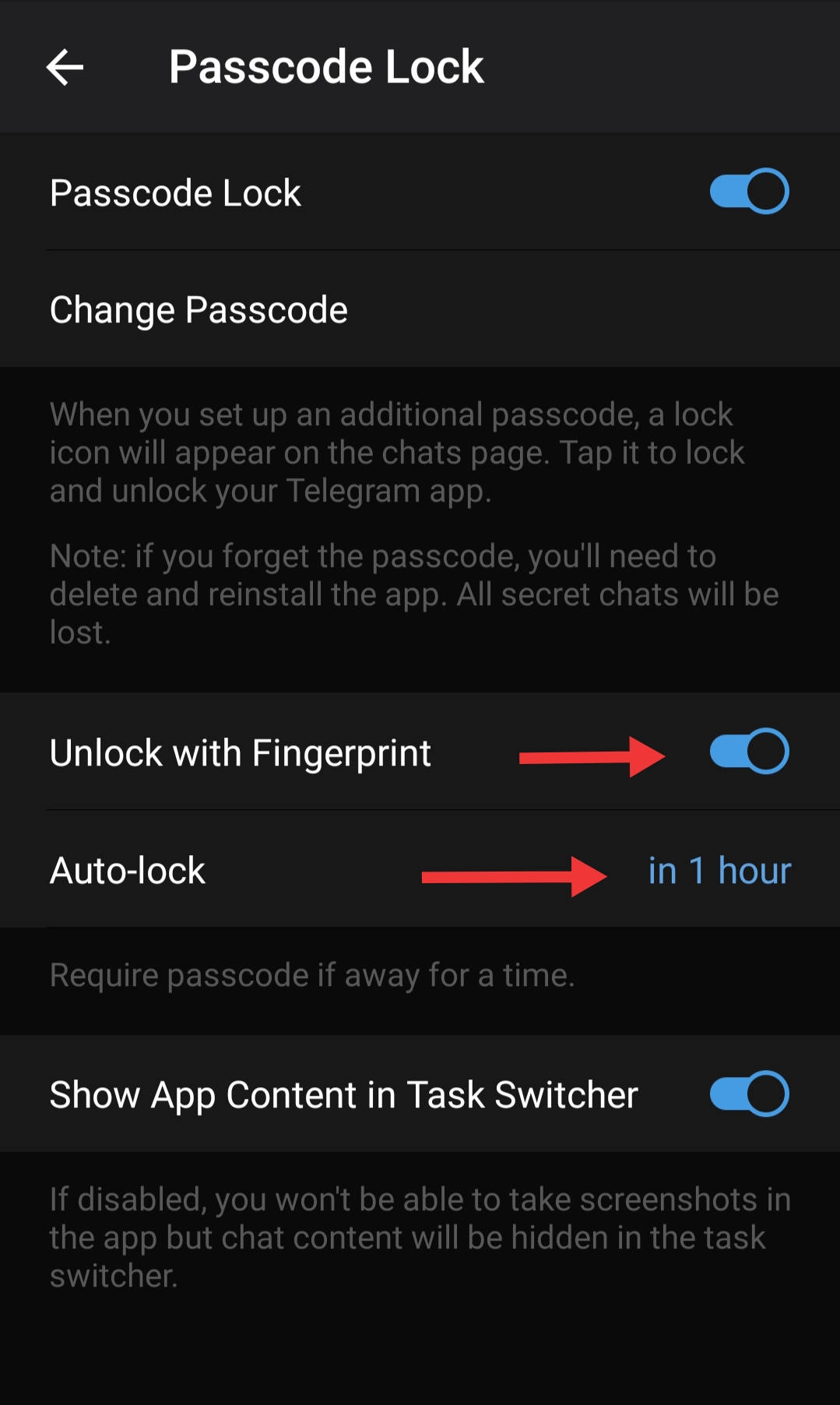
8. Once your password is active. You will also notice that the “Unlock with Fingerprints” is activated by default. You can let it stay or disable it based on your convenience. 
Secure Telegram Password

9. Also, the automatic lock will be set to 1 hour, you can change it to any time you need, or you can also disable it.

Conclusion –

That’s how you can create a password to secure your Telegram. But let me also warn you that you must remember this passcode as losing it will require you to delete and reinstall the app. This happens because this security feature is app-based. It isn’t linked to your account or synced between your devices. Hence deleting and reinstalling will be a necessity. But don’t worry, you will get your messages back, but not the secret chats. So be careful! 

You can also read our other “How to” articles below –

  • Edit sent messages in Telegram.
  • Disable Conversation View in Gmail
  • Delete WhatsApp but recover data.
  • Save posts on Instagram to watch later.

Let us know how you liked using this feature of Telegram in your android. You could also write in the comments if you need any specific How-to guide! Until then, happy networking!


Tags: Cloud SecurityInstant MessagingpasswordsecurityTelegram
Tweet54SendShare15
Previous Post

Google collects enormous data about you – Is there anything you can do about it?

Next Post

Blume Ventures to prepare for secondaries fund, offers exits to investors

Amandeep Suter

A son, a brother and a friend who loves to write!

Recommended For You

How to beat Mega Mewtwo X in Pokémon Go?

by Afeefa Ansari
July 12, 2026
0
Pokemon-Go-Mega-Mewtwo X

Want to beat Mega Mewtwo X in Pokémon Go? Follow the guide to know how you can make it happen and knock out this strong Pokémon. So, let's...

Read more

How to delete a TikTok account?

by Afeefa Ansari
July 12, 2026
0
TikTok

Do you have a TikTok account you would like to delete? That happens. Let's help you do so and get one thing off your mind. It will be...

Read more

How to get Zeraora in Pokémon Go?

by Afeefa Ansari
July 12, 2026
0
Zeraora

Are you looking for Zeraora in Pokémon Go? Here is all you need to know about it, along with the steps that can help you find one. So,...

Read more
Next Post
Blume Ventures

Blume Ventures to prepare for secondaries fund, offers exits to investors

Please login to join discussion

Techstory

Tech and Business News from around the world. Follow along for latest in the world of Tech, AI, Crypto, EVs, Business Personalities and more.
reach us at info@techstory.in

Advertise With Us

Reach out at - info@techstory.in

Aviator Game India 2026

BROWSE BY TAG

#Crypto #howto 2024 acquisition AI amazon Apple Artificial Intelligence bitcoin Business China cryptocurrency e-commerce electric vehicles Elon Musk Ethereum facebook funding Gaming Google India Instagram Investment ios iPhone IPO Market Markets Meta Microsoft News OpenAI samsung Social Media SpaceX startup startups tech technology Tesla TikTok trend trending twitter US

© 2025 Techstory.in

No Result
View All Result
  • News
  • Crypto
  • Gadgets
  • Memes
  • Gaming
  • Cars
  • AI
  • Startups
  • Markets
  • How to

© 2025 Techstory.in

Welcome Back!

Login to your account below

Forgotten Password?

Retrieve your password

Please enter your username or email address to reset your password.

Log In
Are you sure want to unlock this post?
Unlock left : 0
Are you sure want to cancel subscription?